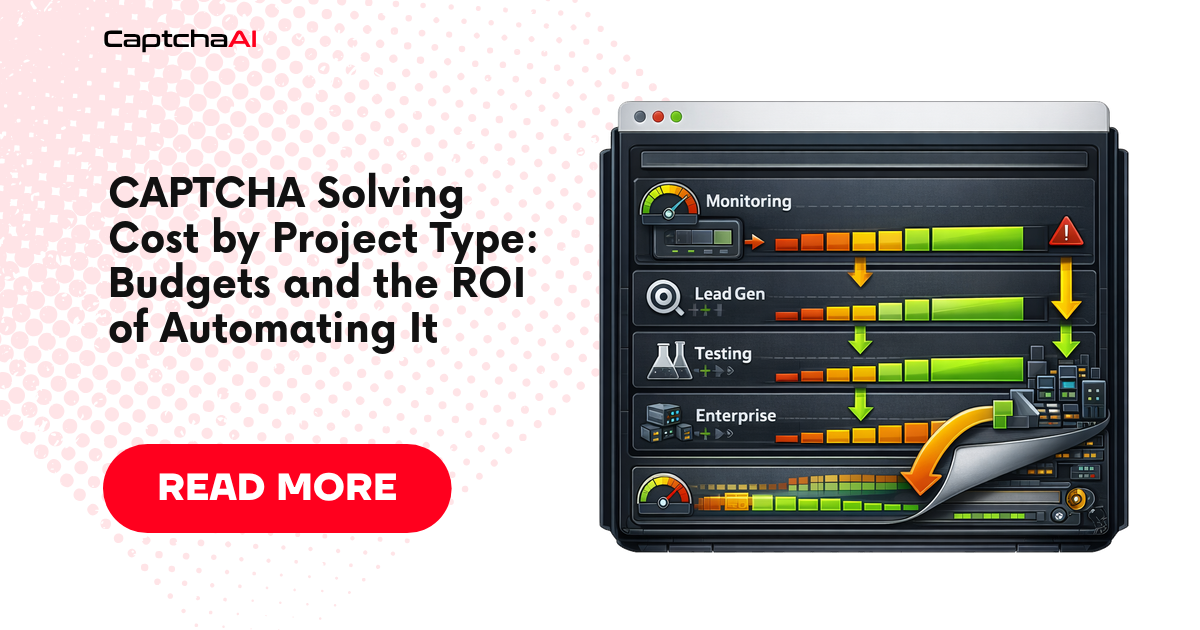
To budget CAPTCHA solving for a project, you need three numbers: the CAPTCHA type, how many CAPTCHAs are in flight at the busiest moment, and the monthly volume. The calculator below turns them into a thread count, a CaptchaAI plan and an effective cost per 1,000 solves. The constraint that shapes every answer is that CaptchaAI bills per concurrent thread with unlimited solves, so peak concurrency usually sets the bill, not volume. The second half of the page prices the alternative, a person solving by hand, with a cost-of-time model, an ROI sheet and a worked example.
The three numbers that set your bill
CaptchaAI sells plans by thread, not by solve. A thread is one CAPTCHA in flight: it is busy from the moment a task is accepted until its answer is ready, and then it takes the next one. Every plan includes unlimited solves, with no per-CAPTCHA fee and no surcharge by type, so a budget has to answer one question: how many CAPTCHAs will you have in flight at once? The billing model itself is explained in CaptchaAI's unlimited solves model, and the current tiers are on the CaptchaAI pricing page.
Three inputs decide that number:
- CAPTCHA type. The type sets how long each solve holds a thread. CaptchaAI publishes a solve-time ceiling per type, and sizing with the ceiling gives an upper bound.
- Peak concurrency. Little's law says the average number of items in a system equals their arrival rate multiplied by the time each one spends there. For CAPTCHAs that is
in flight = solves per second × seconds per solve. Eight reCAPTCHA v2 challenges a minute, each holding a thread for up to 60 seconds, means up to eight in flight. - Monthly volume. Spread evenly over a 30-day month (2,592,000 seconds), volume gives the average in flight:
volume ÷ 2,592,000 × seconds per solve. For most projects this is far below the peak, which is why volume alone is a poor guide. It matters for flows that run flat out around the clock.
| CAPTCHA type | Solve-time ceiling | Solves per fully busy thread per month at the ceiling |
|---|---|---|
| Image / OCR | <0.5 s | ~5,200,000 |
| Grid image, BLS | <1 s | ~2,600,000 |
| reCAPTCHA v3 and v3 Enterprise | <4 s | ~648,000 |
| Cloudflare Turnstile | <10 s | ~259,000 |
| GeeTest v3 | <12 s | ~216,000 |
| Cloudflare Challenge | <15 s | ~173,000 |
| Invisible reCAPTCHA v2 | <30 s | ~86,400 |
| reCAPTCHA v2 and v2 Enterprise | <60 s | ~43,200 |
The calculator takes the larger of the peak and average figures and adds a stated 25% headroom for jitter, retries and growth. That margin is deliberately smaller than the ×1.5 that the thread-count optimizer applies to published ceilings, because sizing with the ceiling already assumes every solve takes the full published time, and solves typically finish under it. If your arrivals bunch up inside the busiest minute or retries are common, set HEADROOM to 0.5 and rerun. For reCAPTCHA v2, CaptchaAI also recommends plans by monthly volume, and the calculator uses those bands as they are: up to 100,000 solves a month on BASIC ($15/month, 5 threads), up to 250,000 on STANDARD ($30/month, 15 threads), up to 1,000,000 on ADVANCE ($90/month, 50 threads) and up to 5,000,000 on PREMIUM ($170/month, 100 threads). The bands assume traffic spread across the month. When your peak needs more threads than the band's plan has, the calculator sizes to the peak and tells you so.
Beta types, CaptchaFox (beta), Friendly Captcha (beta) and Lemin (beta), have no published solve times, so time your own solves before sizing them. hCaptcha and FunCaptcha are not supported, and GeeTest v4 support is coming soon but is not available yet, so pages protected by those need a different approach, not a bigger budget.
A sizing calculator in Python and JavaScript
Give the calculator a type, the monthly volume and the busiest minute's arrivals (PEAK_PER_MINUTE). It prints the in-flight figure, the steady-state minimum (Little's law with no margin), the thread count with headroom, the recommended plan, the rule that produced it, and the effective cost per 1,000 solves. It needs no API key and makes no network calls.
"""captcha_budget.py: size a CaptchaAI plan for one project.

Usage:   python captcha_budget.py TYPE MONTHLY_VOLUME PEAK_PER_MINUTE
Example: python captcha_budget.py recaptcha_v2 60000 8.33
"""
import math
import sys
from collections import Counter

# Published solve-time ceilings in seconds. A thread is busy for at most this
# long per CAPTCHA, so sizing with them gives an upper bound, not an average.
CEILING_S = {
    "image": 0.5, "grid": 1, "bls": 1, "recaptcha_v3": 4,
    "recaptcha_v3_enterprise": 4, "turnstile": 10, "geetest_v3": 12,
    "cloudflare_challenge": 15, "recaptcha_v2_invisible": 30,
    "recaptcha_v2": 60, "recaptcha_v2_enterprise": 60,
}
# (plan, USD per month, threads), from captchaai.com/pricing
PLANS = [
    ("BASIC", 15, 5), ("STANDARD", 30, 15), ("ADVANCE", 90, 50),
    ("PREMIUM", 170, 100), ("CORPORATE", 240, 150), ("ENTERPRISE", 300, 200),
    ("VIP-1", 1500, 1000), ("VIP-2", 4500, 3000), ("VIP-3", 7500, 5000),
]
# Recommended reCAPTCHA v2 bands: (highest monthly volume, plan)
V2_BANDS = [
    (100_000, "BASIC"), (250_000, "STANDARD"), (1_000_000, "ADVANCE"),
    (5_000_000, "PREMIUM"), (7_500_000, "CORPORATE"),
    (10_000_000, "ENTERPRISE"), (50_000_000, "VIP-1"), (150_000_000, "VIP-2"),
]
HEADROOM = 0.25  # stated safety margin on top of the computed need
SECONDS_PER_MONTH = 30 * 24 * 3600


def cheapest_stack(need):
    """Cheapest set of plans whose threads add up to >= need (fewest plans on a tie)."""
    best = [(0, 0, ())]
    for t in range(1, need + 1):
        best.append(min(
            (price + prev[0], prev[1] + 1, prev[2] + (name,))
            for name, price, threads in PLANS
            for prev in [best[max(0, t - threads)]]))
    cost, _, names = best[need]
    return cost, " + ".join(f"{n} x {name}" for name, n in Counter(names).items())


def size_project(ctype, monthly_volume, peak_per_minute):
    hold = CEILING_S[ctype]
    # Little's law: CAPTCHAs in flight = arrivals per second x seconds each holds a thread
    peak = peak_per_minute / 60 * hold
    average = monthly_volume / SECONDS_PER_MONTH * hold
    in_flight = max(peak, average)
    needed = max(1, math.ceil(in_flight * (1 + HEADROOM)))
    fits = [p for p in PLANS if p[2] >= needed]
    if not fits:
        sys.exit(f"{needed} threads is more than one VIP-3 plan; size it with CaptchaAI")
    plan, basis = fits[0], "estimate from the solve-time ceiling"
    if ctype == "recaptcha_v2":
        band = next((name for top, name in V2_BANDS if monthly_volume <= top), "VIP-3")
        band_plan = next(p for p in PLANS if p[0] == band)
        if band_plan[2] >= needed:
            plan, basis = band_plan, "recommended reCAPTCHA v2 volume band"
        else:
            basis = f"peak concurrency (the volume band alone says {band})"
    name, price, threads = plan
    result = {
        "in flight at peak": f"{round(peak, 2):g}",
        "steady-state minimum": math.ceil(in_flight),
        "threads with headroom": needed,
        "recommended plan": f"{name} (${price}/month, {threads} threads)",
        "basis": basis,
        "effective $ per 1K": f"${price / (monthly_volume / 1000):.3f}",
    }
    stack_cost, stack = cheapest_stack(needed)
    if stack_cost < price and not basis.startswith("recommended"):
        result["cheaper combination"] = f"{stack} = ${stack_cost}/month"
    return result


if __name__ == "__main__":
    if len(sys.argv) != 4 or sys.argv[1] not in CEILING_S:
        sys.exit(f"usage: python {sys.argv[0]} TYPE MONTHLY_VOLUME PEAK_PER_MINUTE\n"
                 f"types: {', '.join(CEILING_S)}")
    try:
        volume, per_minute = float(sys.argv[2]), float(sys.argv[3])
    except ValueError:
        sys.exit("MONTHLY_VOLUME and PEAK_PER_MINUTE must be numbers")
    if volume <= 0 or per_minute < 0:
        sys.exit("MONTHLY_VOLUME must be > 0 and PEAK_PER_MINUTE >= 0")
    for key, value in size_project(sys.argv[1], volume, per_minute).items():
        print(f"{key:>22}: {value}")
Running it on the price-monitoring crawl from the next section prints:
$ python captcha_budget.py recaptcha_v2 60000 8.33
     in flight at peak: 8.33
  steady-state minimum: 9
 threads with headroom: 11
      recommended plan: STANDARD ($30/month, 15 threads)
                 basis: peak concurrency (the volume band alone says BASIC)
    effective $ per 1K: $0.500
The JavaScript version applies the same rules and prints the same fields. It needs Node.js 18 or later and no packages:
// captcha-budget.mjs: size a CaptchaAI plan for one project (Node.js 18+).
// Usage: node captcha-budget.mjs TYPE MONTHLY_VOLUME PEAK_PER_MINUTE
const CEILING_S = {
  image: 0.5, grid: 1, bls: 1, recaptcha_v3: 4, recaptcha_v3_enterprise: 4,
  turnstile: 10, geetest_v3: 12, cloudflare_challenge: 15,
  recaptcha_v2_invisible: 30, recaptcha_v2: 60, recaptcha_v2_enterprise: 60,
};
const PLANS = [ // [plan, USD per month, threads], from captchaai.com/pricing
  ['BASIC', 15, 5], ['STANDARD', 30, 15], ['ADVANCE', 90, 50],
  ['PREMIUM', 170, 100], ['CORPORATE', 240, 150], ['ENTERPRISE', 300, 200],
  ['VIP-1', 1500, 1000], ['VIP-2', 4500, 3000], ['VIP-3', 7500, 5000],
];
const V2_BANDS = [ // [highest monthly reCAPTCHA v2 volume, recommended plan]
  [100_000, 'BASIC'], [250_000, 'STANDARD'], [1_000_000, 'ADVANCE'],
  [5_000_000, 'PREMIUM'], [7_500_000, 'CORPORATE'], [10_000_000, 'ENTERPRISE'],
  [50_000_000, 'VIP-1'], [150_000_000, 'VIP-2'],
];
const HEADROOM = 0.25;
const SECONDS_PER_MONTH = 30 * 24 * 3600;

function cheapestStack(need) {
  const best = [{ cost: 0, names: [] }];
  for (let t = 1; t <= need; t++) {
    let pick = null;
    for (const [name, price, threads] of PLANS) {
      const prev = best[Math.max(0, t - threads)];
      const cand = { cost: price + prev.cost, names: [...prev.names, name] };
      if (!pick || cand.cost < pick.cost ||
          (cand.cost === pick.cost && cand.names.length < pick.names.length)) pick = cand;
    }
    best.push(pick);
  }
  const counts = {};
  for (const n of best[need].names) counts[n] = (counts[n] || 0) + 1;
  const label = Object.entries(counts).map(([n, c]) => `${c} x ${n}`).join(' + ');
  return { cost: best[need].cost, label };
}

function sizeProject(type, monthlyVolume, peakPerMinute) {
  const hold = CEILING_S[type];
  const peak = (peakPerMinute / 60) * hold; // Little's law at the peak
  const average = (monthlyVolume / SECONDS_PER_MONTH) * hold;
  const inFlight = Math.max(peak, average);
  const needed = Math.max(1, Math.ceil(inFlight * (1 + HEADROOM)));
  let plan = PLANS.find(([, , threads]) => threads >= needed);
  if (!plan) throw new Error(`${needed} threads is more than one VIP-3 plan`);
  let basis = 'estimate from the solve-time ceiling';
  if (type === 'recaptcha_v2') {
    const band = (V2_BANDS.find(([top]) => monthlyVolume <= top) || [0, 'VIP-3'])[1];
    const bandPlan = PLANS.find(([name]) => name === band);
    if (bandPlan[2] >= needed) {
      plan = bandPlan;
      basis = 'recommended reCAPTCHA v2 volume band';
    } else {
      basis = `peak concurrency (the volume band alone says ${band})`;
    }
  }
  const [name, price, threads] = plan;
  const result = {
    'in flight at peak': Math.round(peak * 100) / 100,
    'steady-state minimum': Math.ceil(inFlight),
    'threads with headroom': needed,
    'recommended plan': `${name} ($${price}/month, ${threads} threads)`,
    basis,
    'effective $ per 1K': `$${(price / (monthlyVolume / 1000)).toFixed(3)}`,
  };
  const stack = cheapestStack(needed);
  if (stack.cost < price && !basis.startsWith('recommended')) {
    result['cheaper combination'] = `${stack.label} = $${stack.cost}/month`;
  }
  return result;
}

const [type, volume, perMinute] = process.argv.slice(2);
if (!(type in CEILING_S) || !(Number(volume) > 0) || !(Number(perMinute) >= 0)) {
  console.error(`usage: node captcha-budget.mjs TYPE MONTHLY_VOLUME PEAK_PER_MINUTE
types: ${Object.keys(CEILING_S).join(', ')}`);
  process.exit(1);
}
for (const [key, value] of Object.entries(sizeProject(type, Number(volume), Number(perMinute)))) {
  console.log(`${key.padStart(22)}: ${value}`);
}
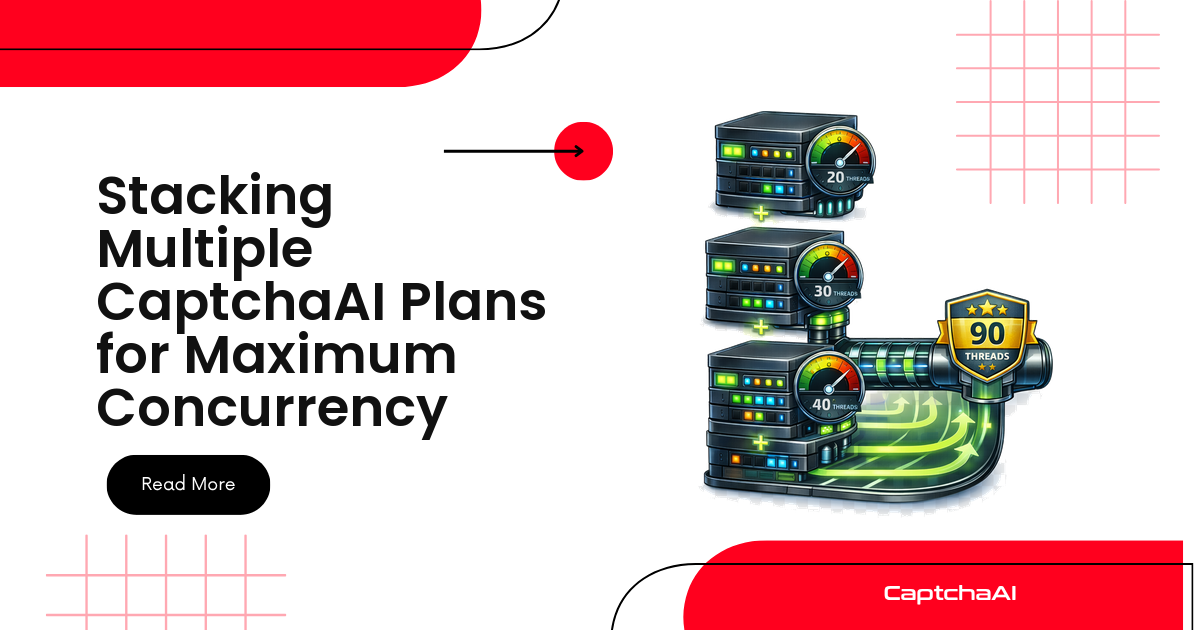
Two details are easy to miss. First, PEAK_PER_MINUTE counts arrivals, not completions: if 30 workers can each reach a CAPTCHA in the same minute, the peak is 30 even when the daily average is 2. Second, the calculator prints a cheaper combination when one exists. CaptchaAI's pricing page invites customers to order multiple plans to get more threads. A reCAPTCHA v3 flow that needs 75 threads fits PREMIUM ($170/month, 100 threads), but one ADVANCE ($90/month) and two STANDARD ($30/month) plans give 80 threads for $20 a month less:
$ python captcha_budget.py recaptcha_v3 2000000 900
     in flight at peak: 60
  steady-state minimum: 60
 threads with headroom: 75
      recommended plan: PREMIUM ($170/month, 100 threads)
                 basis: estimate from the solve-time ceiling
    effective $ per 1K: $0.085
   cheaper combination: 1 x ADVANCE + 2 x STANDARD = $150/month
Project profiles with the math shown
Each row below is one calculator run. The assumptions are illustrative; replace them with numbers from your own logs. The crawl and pipeline profiles assume data you are entitled to collect: your own properties, partner feeds, or public pages whose terms allow automated access.
| Profile and assumptions | Type | Solves per month | Peak per minute | In flight, then threads with 25% headroom | Plan | Effective per 1K |
|---|---|---|---|---|---|---|
| Price monitor: 20,000 pages a night, 1 fetch in 10 challenged, 4-hour window | reCAPTCHA v2 | 60,000 | 2,000 ÷ 240 = 8.33 | 8.33, then 11 | STANDARD ($30/month, 15 threads) | $0.500 |
| Same crawl spread over a 9-hour window | reCAPTCHA v2 | 60,000 | 2,000 ÷ 540 = 3.7 | 3.7, then 5 | BASIC ($15/month, 5 threads) | $0.250 |
| Continuous pipeline, 24/7, peak twice the average | Cloudflare Turnstile | 300,000 | 13.9 | 2.32, then 3 | BASIC ($15/month, 5 threads) | $0.050 |
| Image OCR queue with bursts | Image / OCR | 500,000 | 120 | 1, then 2 | BASIC ($15/month, 5 threads) | $0.030 |
| High-volume continuous pipeline | reCAPTCHA v3 | 2,000,000 | 900 | 60, then 75 | PREMIUM ($170/month, 100 threads) or a stack | $0.085 |
| CI suite, 12 shards reach the CAPTCHA at once | reCAPTCHA v2 | 17,600 | 12 (burst) | 12, then 15 | STANDARD ($30/month, 15 threads) | $1.705 |
| Same suite, CAPTCHA tests routed to 4 shards | reCAPTCHA v2 | 17,600 | 4 (burst) | 4, then 5 | BASIC ($15/month, 5 threads) | $0.852 |
Price and SEO monitoring crawls
A price monitor that fetches 20,000 product pages a night, with one fetch in ten returning a reCAPTCHA v2 challenge, needs 2,000 solves a day, or 60,000 a month. The volume band says the smallest plan is enough. The crawl window disagrees: squeezing 2,000 solves into four hours is 8.33 a minute, which is 8.33 threads in flight at the 60-second ceiling and 11 with headroom, so the recommendation becomes the 15-thread plan. Stretch the same crawl to nine hours and it is 3.7 a minute, 5 threads with headroom, and the 5-thread plan again. The data did not change; the schedule changed the bill.
You can also leave the schedule alone and cap the crawl's solve concurrency at your plan's threads (the guardrail code further down does this). With five slots and the 60-second ceiling, 2,000 solves take at most 400 minutes, and because the ceiling is an upper bound, real runs finish sooner.
SEO rank tracking follows the same arithmetic. Keywords × locations × check frequency gives fetches, your measured challenge rate turns fetches into solves, and the reporting deadline sets the window. Measure the challenge rate in a pilot run instead of guessing it, because it moves with request pacing. A slower, politer crawl can meet fewer challenges, which shrinks both the plan and the load you put on the site.
Continuous scraping pipelines
Pipelines that run all day flatten the peak, so the monthly average starts to count. A 24/7 flow of 300,000 Cloudflare Turnstile solves a month averages 6.9 a minute; even at twice that, the 10-second ceiling puts only 2.32 solves in flight, and BASIC ($15/month, 5 threads) covers it. The type matters more than the volume: half a million image CAPTCHAs is one thread in flight, while the reCAPTCHA v3 flow in the table needs 60.
Servers, proxies and storage, the bigger lines in a scraping budget, are priced in the full scraping stack under $100/month. The CAPTCHA side only needs the thread cap in the right place:
scheduler --> fetch workers (scale freely) --> challenge on the page?
                                                  | no  --> parse and store
                                                  | yes
                                                  v
                              solve gate: at most 5 in flight on a 5-thread plan
                                                  |
     in.php submit --> initial wait, then res.php every 5 s --> token back to the same session
Fetch workers can scale freely; only the ones waiting on a CAPTCHA queue at the gate. The gate limits your solve concurrency, not your load on the target, so keep request rates reasonable too, stay within the data you are authorized to collect, and do not use a solver to get past logins or paywalls you are not authorized to use.
QA and end-to-end testing
Start with the keys that cost nothing. When the application under test is yours, point non-production environments at the vendors' test keys and no CAPTCHA ever needs solving. The values below come from Google's reCAPTCHA FAQ and Cloudflare's Turnstile testing docs:
| Vendor | Test keys | Behavior |
|---|---|---|
| Google reCAPTCHA v2 | Site key 6LeIxAcTAAAAAJcZVRqyHh71UMIEGNQ_MXjiZKhI, secret key 6LeIxAcTAAAAAGG-vFI1TnRWxMZNFuojJ4WifJWe |
No challenge and every verification passes; the widget shows a warning that it is not for production traffic |
| Google reCAPTCHA v3 | None published | Google says to create a separate key for testing environments; scores may be inaccurate without real traffic |
| Cloudflare Turnstile | Sitekeys 1x00000000000000000000AA (passes) and 2x00000000000000000000AB (fails) for a visible widget, 1x00000000000000000000BB and 2x00000000000000000000BB for an invisible one, 3x00000000000000000000FF to force an interactive challenge |
Each returns the dummy token XXXX.DUMMY.TOKEN.XXXX. Pair it with secret 1x0000000000000000000000000000000AA (passes), 2x0000000000000000000000000000000AA (fails) or 3x0000000000000000000000000000000AA (token already spent); production secret keys reject the dummy token |
Budget solves only for runs that must exercise the real configuration, such as signing off production CAPTCHA settings on a staging copy. Size those by burst, not by volume. A suite with 40 CAPTCHA steps, run 20 times a working day over 22 days, needs 17,600 solves a month, well inside the smallest reCAPTCHA v2 band. But if 12 parallel shards reach the CAPTCHA step at the same moment, 12 solves are in flight, 15 threads with headroom, and the suite needs the 15-thread plan. Route the CAPTCHA tests to 4 shards and the same volume fits in 5 threads: the tests queue a little, and the bill halves. To feed a synchronized burst to the calculator, enter PEAK_PER_MINUTE as shards × 60 ÷ the type's ceiling, which for reCAPTCHA v2 is simply the shard count.
For manual testers clicking through CAPTCHA-protected forms, form testing and UAT with the CaptchaAI extension covers setup and sign-off evidence. The cost side for them is the cost-of-time model below.
Agencies and client work
An agency usually runs several client projects on one account. Add up the in-flight figures of projects whose peaks overlap, not their volumes: four clients peaking at 3, 2, 6 and 1 in flight during the same hour need 12, or 15 with headroom. If the largest client's crawl runs at night and the others by day, size for the busiest overlap instead of the sum. Give each client its own concurrency cap so one burst cannot starve the rest, and attribute cost by thread time: a client's share of the plan price is its solve-seconds divided by all solve-seconds in the month. Allocation, metering and client billing are covered in how agencies price CaptchaAI into client projects.
Manual solving, the extension or the API: the cost-of-time model
Before any plan there is a baseline: a person solving each CAPTCHA by hand. Its monthly cost is:
manual cost = CAPTCHAs per day × seconds per manual solve ÷ 3,600 × loaded hourly rate × working days
The loaded hourly rate is salary plus overhead such as benefits, equipment and management, not the salary alone. Seconds per manual solve is the input people guess worst. A large public measurement is Searles et al.'s USENIX Security 2023 study, in which 1,400 participants solved 14,000 CAPTCHAs. The authors' summary in USENIX ;login: reports a median of 3.7 seconds for the click-based reCAPTCHA checkbox, and solving times of 15 to 26 seconds for reCAPTCHA image challenges and 9 to 15.3 seconds for distorted text, depending on whether people solved them as standalone tasks or in the middle of an account sign-up. Lab figures leave out the context switch, so a stopwatch on your own team for a day gives a better input.
| By hand | Browser extension | API integration | |
|---|---|---|---|
| Who spends time | A person on every CAPTCHA | A person runs the flow while the extension solves | Nobody |
| Human seconds per CAPTCHA | The full solve | Only the attention still spent, if any | Zero |
| One-off cost | None | Install and add the key, per person | Writing and testing the integration |
| Monthly cost | Hours × loaded rate | Plan price plus light upkeep | Plan price plus maintenance |
| Uses plan threads | No | Yes | Yes |
| Typical fit | Rare, one-off checks | Manual QA and back-office flows | Crawls, CI suites, pipelines |
The column that surprises people is the extension's. It removes the human work, not the wait. A reCAPTCHA v2 solve can take up to 60 seconds, and a tester who sits watching it has saved nothing over a 4-second checkbox click. The saving is real when challenges are image-heavy, or when people move on to other work while the solve runs. Count only the seconds of attention a person still spends as the residual.
The extension also draws on your plan. CaptchaAI's dashboard describes your API key as the one to plug into your "API, software, or Chrome extension", so extension solves occupy the same threads as your scripts. If testers and a crawler share a key, reserve threads for the testers; the guardrail code below takes a reserve setting. Trade-offs beyond cost are compared in browser extension vs API.
Engineer hours saved and payback
Four formulas turn the model into a decision:
hours saved per month = CAPTCHAs per day × working days × (manual seconds − residual seconds) ÷ 3,600net benefit per month = hours saved × loaded rate − (plan price + maintenance hours × loaded rate)payback in months = setup hours × loaded rate ÷ net benefit per monthbreak-even CAPTCHAs per day = (plan price + maintenance hours × loaded rate) × 3,600 ÷ (working days × (manual − residual seconds) × loaded rate)
Setup hours are one-off: installing the extension and adding the key for each person, or writing and testing an API integration. Maintenance is the monthly upkeep, such as rotating a key, adapting to a changed page or investigating a failing test. Leave those at zero and the model overstates the return. The break-even line is the most useful single output, because it gives the daily CAPTCHA count below which automation does not pay for itself on labor alone.
For unattended work, such as a nightly crawl or a CI suite, the manual baseline is often not a real option: nobody solves 2,000 CAPTCHAs at 3 a.m. There the comparison is the plan price against the value of the data or the test coverage, and the thread math above is the whole budget.
An ROI calculator template
Put the inputs in column B of a spreadsheet and the formulas next to them. The script after the table computes the same cells, so the sheet and the code can check each other.
| Cell | Label | Example value or formula |
|---|---|---|
| B2 | CAPTCHAs per working day | 120 |
| B3 | Seconds per manual solve | 20 |
| B4 | Residual seconds per CAPTCHA | 3 |
| B5 | Working days per month | 21 |
| B6 | Loaded hourly rate (USD) | 60 |
| B7 | Plan price per month (USD) | 15 |
| B8 | One-off setup hours | 1.5 |
| B9 | Maintenance hours per month | 0.5 |
| B11 | Manual cost of time per month | =B2*B3/3600*B6*B5 |
| B12 | Hours saved per month | =B2*B5*(B3-B4)/3600 |
| B13 | Value of hours saved | =B12*B6 |
| B14 | Run cost per month | =B7+B9*B6 |
| B15 | Net benefit per month | =B13-B14 |
| B16 | Payback in months | =IF(B15>0,B8*B6/B15,"never") |
| B17 | Monthly ROI (multiple of run cost) | =B15/B14 |
| B18 | Break-even CAPTCHAs per day | =B14*3600/(B5*(B3-B4)*B6) |
| B19 | Hours saved per week | =B12/(B5/5) |
"""captcha_roi.py: manual CAPTCHA solving vs automating it. Same formulas as the sheet.

Example: python captcha_roi.py --solves-per-day 120 --manual-s 20 --residual-s 3
"""
import argparse


def roi(solves_per_day, manual_s, residual_s, working_days, hourly_rate,
        plan_price, setup_hours, maintenance_hours):
    if manual_s <= residual_s:
        raise ValueError("automation saves nothing when residual_s >= manual_s")
    saved_s = manual_s - residual_s
    hours_saved = solves_per_day * working_days * saved_s / 3600       # B12
    run_cost = plan_price + maintenance_hours * hourly_rate             # B14
    net = hours_saved * hourly_rate - run_cost                          # B15
    return {
        "manual cost of time / month": solves_per_day * manual_s / 3600 * hourly_rate * working_days,
        "hours saved / month": hours_saved,
        "hours saved / week": hours_saved / (working_days / 5),
        "value of hours saved": hours_saved * hourly_rate,
        "run cost / month": run_cost,
        "net benefit / month": net,
        "payback (months)": setup_hours * hourly_rate / net if net > 0 else float("nan"),
        "monthly ROI (x)": net / run_cost,
        "break-even solves / day": run_cost * 3600 / (working_days * saved_s * hourly_rate),
    }


if __name__ == "__main__":
    p = argparse.ArgumentParser(description=__doc__)
    p.add_argument("--solves-per-day", type=float, default=120)
    p.add_argument("--manual-s", type=float, default=20, help="seconds per manual solve")
    p.add_argument("--residual-s", type=float, default=3, help="human seconds left per CAPTCHA")
    p.add_argument("--working-days", type=float, default=21)
    p.add_argument("--hourly-rate", type=float, default=60, help="loaded cost per hour")
    p.add_argument("--plan-price", type=float, default=15, help="BASIC is 15 USD/month")
    p.add_argument("--setup-hours", type=float, default=1.5)
    p.add_argument("--maintenance-hours", type=float, default=0.5)
    a = p.parse_args()
    if a.manual_s <= a.residual_s:
        p.error("--manual-s must be larger than --residual-s")
    result = roi(a.solves_per_day, a.manual_s, a.residual_s, a.working_days,
                 a.hourly_rate, a.plan_price, a.setup_hours, a.maintenance_hours)
    for label, value in result.items():
        shown = "never (no net saving)" if value != value else f"{value:,.2f}"
        print(f"{label:>28}: {shown}")
Worked example: hours saved per week for a three-person QA team
This is an illustration with every input shown, not a customer result. Three testers run manual regression on a staging copy that must keep the production reCAPTCHA v2 configuration, so the test keys are out.
- 120 CAPTCHAs per working day (40 per tester) over 21 working days.
- 20 seconds per manual solve: a mix of checkbox passes and image challenges, between the checkbox and image figures above. Replace it with your own timing.
- 3 residual seconds with the extension: a glance to confirm the solve, because testers carry on with the next step while it runs instead of watching it.
- A loaded rate of $60 an hour.
- BASIC ($15/month, 5 threads). Three testers can have at most three CAPTCHAs in flight, so the smallest plan fits.
- 1.5 setup hours (half an hour per tester) and 0.5 maintenance hours a month.
$ python captcha_roi.py
 manual cost of time / month: 840.00
         hours saved / month: 11.90
          hours saved / week: 2.83
        value of hours saved: 714.00
            run cost / month: 45.00
         net benefit / month: 669.00
            payback (months): 0.13
             monthly ROI (x): 14.87
     break-even solves / day: 7.56
Solving by hand costs $840 a month in staff time. The extension saves 11.9 hours a month, about 2.8 hours a week, worth $714, against a run cost of $45: the plan plus half an hour of upkeep. The net benefit is $669 a month, and the setup pays back in 0.13 months, roughly three working days. Break-even is 7.6 CAPTCHAs a day.
Now change one input. If every CAPTCHA were a checkbox solved in the 3.7-second median, the same team would save under half an hour a month, worth $29 against $45 of cost, and break-even would jump to 184 CAPTCHAs a day. The result is only as good as the solve-time input, which is why it is worth measuring rather than assuming.
Guardrails: cap concurrency at plan threads, alert at 80%
A budget built on thread counts holds only if the code respects them. Two guardrails do that.
Cap in-flight solves at plan threads. Going over your threads does not raise the bill; it raises latency and errors. When no thread is free, in.php can answer ERROR_ZERO_BALANCE, which on a thread plan means no free threads (or no active plan), not an empty wallet. The official Python SDK retries a busy account for up to 120 seconds by default before raising ThreadLimitError, and its source notes that busy tasks may simply queue, so saturation can also show up as longer CAPCHA_NOT_READY polling. A semaphore sized to your threads, minus a reserve for extension users, keeps you out of both.
Watch utilization. The threadsinfo action reports plan threads and threads in use. POST key and action=threadsinfo to https://ocr.captchaai.com/res.php; the answer is a bare JSON object such as {"threads":"600","working_threads":553}, where threads is a string and working_threads an integer. Sustained use above 80% means your peak estimate was low or traffic grew, so tighten the caps or move up a plan before queues reach your latency numbers.
"""threads_guard.py: read CaptchaAI plan threads and usage, alert above 80%.

Run it every minute from cron or your scheduler; exit code 2 means "alert".
Import worker_gate() to cap your own solve workers at the plan's threads:
    gate = worker_gate(threads_info()[0])
    with gate:
        solve_one_captcha()
"""
import json
import os
import sys
import threading
import urllib.parse
import urllib.request

API_KEY = os.environ.get("CAPTCHAAI_API_KEY", "YOUR_API_KEY")
ALERT_AT = 0.80
# Threads left free for people using the browser extension with the same key
RESERVED = int(os.environ.get("CAPTCHAAI_RESERVED_THREADS", "0"))


def threads_info():
    """POST res.php with action=threadsinfo -> (plan threads, threads in use)."""
    body = urllib.parse.urlencode({"key": API_KEY, "action": "threadsinfo"}).encode()
    with urllib.request.urlopen("https://ocr.captchaai.com/res.php", body, timeout=30) as resp:
        raw = resp.read().decode("utf-8", "replace").strip()
    try:
        data = json.loads(raw)
    except ValueError:
        data = None
    if not isinstance(data, dict) or "threads" not in data or "working_threads" not in data:
        raise RuntimeError(f"threadsinfo failed: {raw[:100]}")  # e.g. ERROR_WRONG_USER_KEY
    # "threads" arrives as a string, "working_threads" as an integer
    return int(data["threads"]), int(data["working_threads"])


def worker_gate(threads):
    """At most (plan threads - reserve) solves in flight from this process."""
    return threading.BoundedSemaphore(max(1, threads - RESERVED))


if __name__ == "__main__":
    if len(API_KEY) != 32:
        sys.exit("Set CAPTCHAAI_API_KEY to your 32-character CaptchaAI key")
    threads, working = threads_info()
    if threads == 0:
        sys.exit("ALERT: the account reports 0 plan threads")
    usage = working / threads
    print(f"plan threads={threads} in use={working} usage={usage:.0%} "
          f"worker cap={max(1, threads - RESERVED)}")
    if usage > ALERT_AT:
        print(f"ALERT: {usage:.0%} of plan threads busy (threshold {ALERT_AT:.0%})",
              file=sys.stderr)
        sys.exit(2)
The Node.js version adds a small promise limiter for async workers:
// threads-guard.mjs: CaptchaAI thread usage alert plus a concurrency limiter (Node.js 18+).
// Run: CAPTCHAAI_API_KEY=... node threads-guard.mjs   (exit code 2 = above 80%)
import { pathToFileURL } from 'node:url';

const API_KEY = process.env.CAPTCHAAI_API_KEY ?? 'YOUR_API_KEY';
const ALERT_AT = 0.8;
const RESERVED = Number(process.env.CAPTCHAAI_RESERVED_THREADS ?? 0); // kept for extension users

export async function threadsInfo() {
  const res = await fetch('https://ocr.captchaai.com/res.php', {
    method: 'POST',
    body: new URLSearchParams({ key: API_KEY, action: 'threadsinfo' }),
    signal: AbortSignal.timeout(30_000),
  });
  const raw = (await res.text()).trim();
  let data = null;
  try { data = JSON.parse(raw); } catch { /* plain-text error code */ }
  if (!data || data.threads === undefined || data.working_threads === undefined) {
    throw new Error(`threadsinfo failed: ${raw.slice(0, 100)}`);
  }
  return { threads: Number(data.threads), working: Number(data.working_threads) };
}

// const limit = createLimiter(threads - RESERVED); await limit(() => solveOne(job));
export function createLimiter(max) {
  let active = 0;
  const queue = [];
  const next = () => {
    if (active >= max || queue.length === 0) return;
    active++;
    const { task, resolve, reject } = queue.shift();
    task().then(resolve, reject).finally(() => { active--; next(); });
  };
  return (task) => new Promise((resolve, reject) => {
    queue.push({ task, resolve, reject });
    next();
  });
}

if (process.argv[1] && import.meta.url === pathToFileURL(process.argv[1]).href) {
  if (API_KEY.length !== 32) {
    console.error('Set CAPTCHAAI_API_KEY to your 32-character CaptchaAI key');
    process.exit(1);
  }
  const { threads, working } = await threadsInfo();
  if (threads === 0) {
    console.error('ALERT: the account reports 0 plan threads');
    process.exit(2);
  }
  const usage = working / threads;
  const cap = Math.max(1, threads - RESERVED);
  console.log(`plan threads=${threads} in use=${working} usage=${Math.round(usage * 100)}% worker cap=${cap}`);
  if (usage > ALERT_AT) {
    console.error(`ALERT: ${Math.round(usage * 100)}% of plan threads busy (threshold 80%)`);
    process.exit(2);
  }
}
Run either script every minute from cron or your scheduler and wire exit code 2 to your alerting. If you use the official Python SDK (pip install captchaai), solver.threads_info() returns the same two numbers as integers. When the alert keeps firing, the thread-limit upgrade guide walks through the signals that justify a bigger plan.
Where to size threads, compare vendors and set spend alerts
This page stops at the project budget. These pages go deeper:
- How to pick the right CaptchaAI thread count covers Little's law, the recommended bands and reading
threadsinfoover time in more detail. - The CAPTCHA solving cost calculator and provider comparison sets per-solve vendors against thread pricing.
- Batch CAPTCHA cost estimation and budget alerts estimates a batch job before it runs, sets a budget limit and configures spend alerts.
FAQ
Does an unsolvable or rejected CAPTCHA cost extra?
No plan charges per CAPTCHA, so a failed task adds nothing to the invoice. It does hold a thread while it is in flight, and a resubmission holds another. After ERROR_CAPTCHA_UNSOLVABLE, stop polling that task ID and allow at most a bounded fresh submission with fresh page parameters. Retry storms show up as extra peak concurrency, so include your expected retries in PEAK_PER_MINUTE.
How do I measure my real peak instead of guessing it?
Log a timestamp for every in.php submission over a representative day and count the busiest 60 seconds; that count is PEAK_PER_MINUTE. Alternatively, run the guardrail script every minute for a week and keep the highest working_threads, which is the in-flight figure directly, extension users included. Minute sampling can miss short spikes, so treat it as a floor.
Can I combine two smaller plans instead of upgrading?
Yes, the pricing page allows it, and the calculator prints a cheaper combination when one exists. If you need 20 threads, STANDARD ($30/month) plus BASIC ($15/month) cover it for half the price of ADVANCE ($90/month, 50 threads). Upgrading still makes sense when you expect to grow into the larger plan soon.
Next step: size it, then pick the plan
Run the calculator with your own three numbers, compare the result with the tiers on the CaptchaAI pricing page, and start on the smallest plan that covers your peak with headroom. The utilization alert will tell you when it is time to move up.


Discussions (0)
Join the conversation
Sign in to share your opinion.
Sign InNo comments yet.