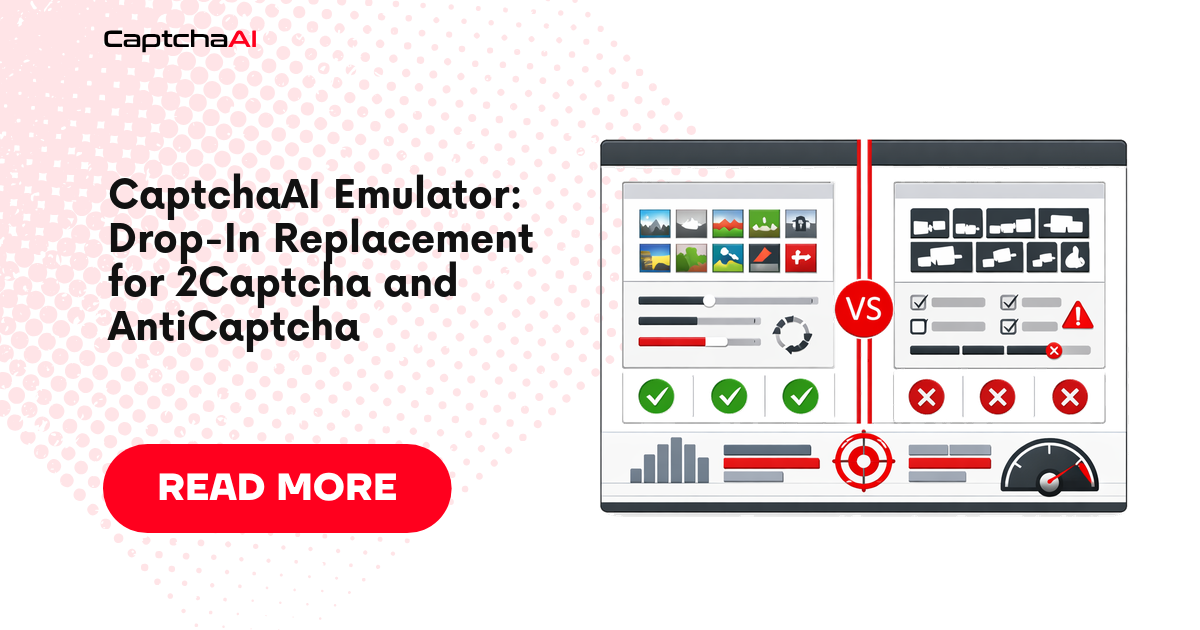
CaptchaAI's API follows the same request/response format used by 2Captcha. If your code already integrates with 2Captcha, you can switch to CaptchaAI by changing the base URL and API key — no other code changes needed.
2Captcha compatibility
CaptchaAI uses the same endpoint structure and parameter names as 2Captcha:
| Endpoint | 2Captcha | CaptchaAI |
|---|---|---|
| Submit | https://2captcha.com/in.php |
https://ocr.captchaai.com/in.php |
| Result | https://2captcha.com/res.php |
https://ocr.captchaai.com/res.php |
| API key param | key |
key |
| Response format | status + request |
status + request |
Parameters like method, googlekey, pageurl, json, proxy, proxytype, action are identical.
Switch from 2Captcha: One-line change
Python
# Before
BASE_URL = "https://2captcha.com"

# After
BASE_URL = "https://ocr.captchaai.com"
Your existing submit and poll code works without any other changes:
import requests
import time

API_KEY = "YOUR_CAPTCHAAI_KEY"
BASE_URL = "https://ocr.captchaai.com"  # changed from 2captcha.com

# Submit — identical parameters
resp = requests.post(f"{BASE_URL}/in.php", data={
    "key": API_KEY,
    "method": "userrecaptcha",
    "googlekey": "6Le-SITEKEY",
    "pageurl": "https://example.com",
    "json": "1",
}).json()
task_id = resp["request"]

# Poll — identical parameters
for _ in range(24):
    time.sleep(5)
    result = requests.get(f"{BASE_URL}/res.php", params={
        "key": API_KEY, "action": "get", "id": task_id, "json": "1"
    }).json()
    if result["status"] == 1:
        print(f"Token: {result['request'][:50]}...")
        break
JavaScript
// Before
const BASE_URL = 'https://2captcha.com';

// After
const BASE_URL = 'https://ocr.captchaai.com';

// Everything else stays the same
AntiCaptcha adapter
AntiCaptcha uses a different API format (JSON-based). Build an adapter that translates AntiCaptcha calls to CaptchaAI:
import requests
import time

API_KEY = "YOUR_CAPTCHAAI_KEY"

class AntiCaptchaAdapter:
    """Translates AntiCaptcha-style calls to CaptchaAI API."""

    def __init__(self, api_key):
        self.api_key = api_key
        self.base = "https://ocr.captchaai.com"

    def createTask(self, task):
        """AntiCaptcha-compatible createTask."""
        task_type = task.get("type", "")
        data = {"key": self.api_key, "json": "1"}

        if "Recaptcha" in task_type:
            data["method"] = "userrecaptcha"
            data["googlekey"] = task.get("websiteKey", "")
            data["pageurl"] = task.get("websiteURL", "")
            if task.get("isInvisible"):
                data["invisible"] = "1"
        elif "Image" in task_type:
            data["method"] = "base64"
            data["body"] = task.get("body", "")
        elif "Turnstile" in task_type:
            data["method"] = "turnstile"
            data["sitekey"] = task.get("websiteKey", "")
            data["pageurl"] = task.get("websiteURL", "")

        resp = requests.post(f"{self.base}/in.php", data=data).json()
        if resp["status"] != 1:
            return {"errorId": 1, "errorDescription": resp["request"]}
        return {"errorId": 0, "taskId": resp["request"]}

    def getTaskResult(self, task_id):
        """AntiCaptcha-compatible getTaskResult."""
        resp = requests.get(f"{self.base}/res.php", params={
            "key": self.api_key,
            "action": "get",
            "id": task_id,
            "json": "1",
        }).json()

        if resp["request"] == "CAPCHA_NOT_READY":
            return {"status": "processing"}
        if resp["status"] == 1:
            return {
                "status": "ready",
                "solution": {"gRecaptchaResponse": resp["request"]}
            }
        return {"errorId": 1, "errorDescription": resp["request"]}

    def getBalance(self):
        """AntiCaptcha-compatible getBalance."""
        resp = requests.get(f"{self.base}/res.php", params={
            "key": self.api_key,
            "action": "getbalance",
            "json": "1",
        }).json()
        return {"balance": float(resp["request"])}


# Usage — same interface as AntiCaptcha
adapter = AntiCaptchaAdapter("YOUR_CAPTCHAAI_KEY")

result = adapter.createTask({
    "type": "RecaptchaV2TaskProxyless",
    "websiteURL": "https://example.com",
    "websiteKey": "6Le-SITEKEY",
})
task_id = result["taskId"]

while True:
    time.sleep(5)
    status = adapter.getTaskResult(task_id)
    if status["status"] == "ready":
        token = status["solution"]["gRecaptchaResponse"]
        print(f"Token: {token[:50]}...")
        break
Using existing 2Captcha SDK libraries
Many 2Captcha SDK libraries let you configure the base URL:
Python (2captcha-python)
from twocaptcha import TwoCaptcha

solver = TwoCaptcha(
    "YOUR_CAPTCHAAI_KEY",
    server="ocr.captchaai.com"  # redirect to CaptchaAI
)

result = solver.recaptcha(
    sitekey="6Le-SITEKEY",
    url="https://example.com"
)
print(result["code"][:50] + "...")
JavaScript (2captcha-javascript)
const Captcha = require('2captcha');

const solver = new Captcha.Solver('YOUR_CAPTCHAAI_KEY');
solver.apiBaseUrl = 'https://ocr.captchaai.com';

const result = await solver.recaptcha('6Le-SITEKEY', 'https://example.com');
console.log(result.data.substring(0, 50) + '...');
Compatibility checklist
| Feature | Compatible? |
|---|---|
| reCAPTCHA v2 | Yes |
| reCAPTCHA v3 | Yes |
| reCAPTCHA Enterprise | Yes |
| Cloudflare Turnstile | Yes |
| Image/OCR | Yes |
| GeeTest v3 | Yes |
pingback (webhook) |
Yes |
proxy / proxytype |
Yes |
reportbad / reportgood |
Yes |
getbalance |
Yes |
FAQ
Is CaptchaAI literally the same API as 2Captcha?
CaptchaAI uses the same in.php/res.php endpoint format and parameter names. Response structure is identical. You can switch by changing the base URL.
Do I need to change error handling?
No. Error codes like ERROR_WRONG_USER_KEY, ERROR_ZERO_BALANCE, and CAPCHA_NOT_READY use the same names and format.
Can I switch back if needed?
Yes. Since the API is compatible, switching back is also a one-line URL change.
Switch to CaptchaAI with zero code changes
Get your API key at captchaai.com.




Discussions (0)
Join the conversation
Sign in to share your opinion.
Sign InNo comments yet.