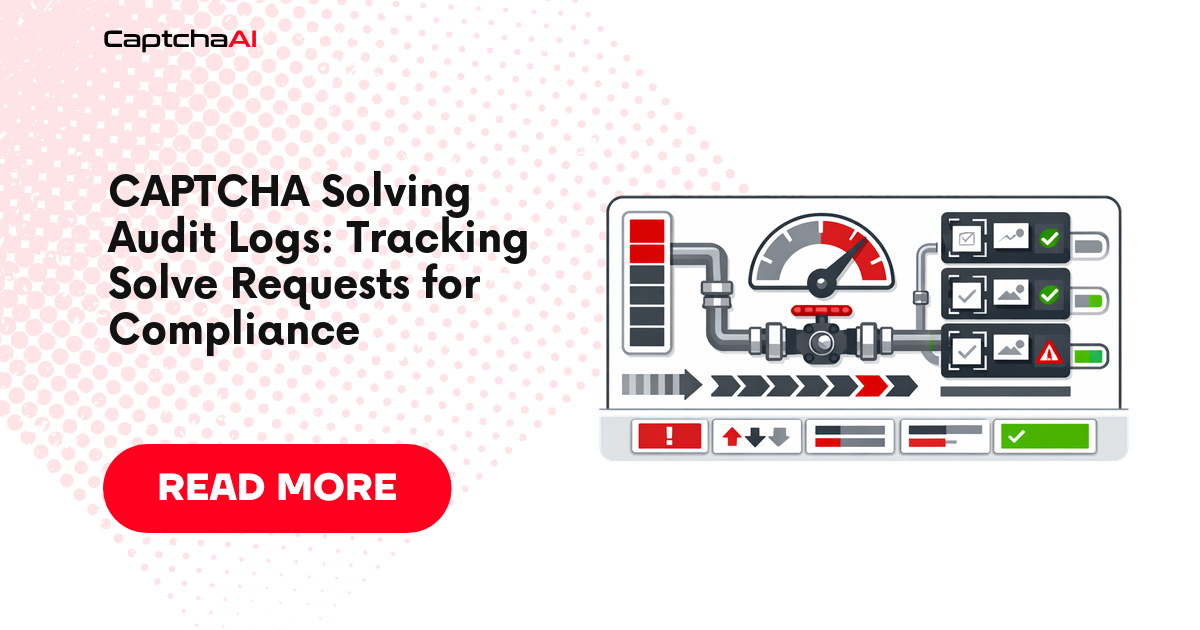
When your organization solves thousands of CAPTCHAs daily, you need a record of every request. Audit logs answer questions like: Who triggered this solve? What site was it for? How much did it cost? When did it happen? This guide shows how to implement comprehensive audit logging for CaptchaAI operations.
What to Log
Every CAPTCHA solve should record:
| Field | Purpose | Example |
|---|---|---|
timestamp |
When the request was made | 2026-04-04T14:30:00Z |
request_id |
Unique identifier for this solve | uuid4() |
captcha_type |
CAPTCHA method used | userrecaptcha |
target_site |
Page URL being solved | https://example.com/login |
task_id |
CaptchaAI task ID | 73829451 |
status |
Outcome | solved, failed, timeout |
solve_time_ms |
Time from submit to result | 18432 |
error_code |
Error if failed | ERROR_CAPTCHA_UNSOLVABLE |
initiator |
Who or what triggered the solve | scraper-job-42 |
cost |
Estimated cost | 0.003 |
Do not log: API keys, CAPTCHA tokens (they're temporary), or personally identifiable information from target sites.
Python Implementation
# audit_solver.py
import os
import uuid
import time
import json
import logging
from datetime import datetime, timezone
import requests

API_KEY = os.environ.get("CAPTCHAAI_KEY", "YOUR_API_KEY")

# Configure audit logger — separate from application logs
audit_logger = logging.getLogger("captcha_audit")
audit_logger.setLevel(logging.INFO)

# File handler with rotation
from logging.handlers import RotatingFileHandler
handler = RotatingFileHandler(
    "captcha_audit.jsonl",
    maxBytes=50_000_000,  # 50 MB per file
    backupCount=10,
)
handler.setFormatter(logging.Formatter("%(message)s"))
audit_logger.addHandler(handler)

def log_audit(record):
    """Write a structured audit record."""
    audit_logger.info(json.dumps(record, default=str))

def solve_with_audit(sitekey, pageurl, captcha_type="userrecaptcha",
                      initiator="unknown"):
    """Solve a CAPTCHA with full audit logging."""
    request_id = str(uuid.uuid4())
    start = time.time()

    audit_record = {
        "request_id": request_id,
        "timestamp": datetime.now(timezone.utc).isoformat(),
        "captcha_type": captcha_type,
        "target_site": pageurl,
        "initiator": initiator,
        "status": "submitted",
    }

    session = requests.Session()

    try:
        # Submit
        resp = session.get("https://ocr.captchaai.com/in.php", params={
            "key": API_KEY,
            "method": captcha_type,
            "googlekey": sitekey,
            "pageurl": pageurl,
            "json": "1",
        })
        result = resp.json()

        if result.get("status") != 1:
            audit_record.update({
                "status": "submit_failed",
                "error_code": result.get("request"),
                "solve_time_ms": int((time.time() - start) * 1000),
            })
            log_audit(audit_record)
            return None

        task_id = result["request"]
        audit_record["task_id"] = task_id

        # Poll
        time.sleep(15)
        for _ in range(25):
            poll = session.get("https://ocr.captchaai.com/res.php", params={
                "key": API_KEY, "action": "get",
                "id": task_id, "json": "1",
            })
            poll_result = poll.json()

            if poll_result.get("status") == 1:
                solve_time = int((time.time() - start) * 1000)
                audit_record.update({
                    "status": "solved",
                    "solve_time_ms": solve_time,
                    "cost_estimate": 0.003,  # Adjust per your rate
                })
                log_audit(audit_record)
                return poll_result["request"]

            if poll_result.get("request") != "CAPCHA_NOT_READY":
                audit_record.update({
                    "status": "failed",
                    "error_code": poll_result.get("request"),
                    "solve_time_ms": int((time.time() - start) * 1000),
                })
                log_audit(audit_record)
                return None

            time.sleep(5)

        audit_record.update({
            "status": "timeout",
            "solve_time_ms": int((time.time() - start) * 1000),
        })
        log_audit(audit_record)
        return None

    except Exception as e:
        audit_record.update({
            "status": "error",
            "error_code": str(e)[:200],
            "solve_time_ms": int((time.time() - start) * 1000),
        })
        log_audit(audit_record)
        raise

# Usage
token = solve_with_audit(
    sitekey="6Le-wvkSAAAAAPBMRTvw0Q4Muexq9bi0DJwx_mJ-",
    pageurl="https://www.google.com/recaptcha/api2/demo",
    initiator="price-scraper-v2",
)
Audit Log Output (JSONL format)
{"request_id":"a1b2c3d4-...","timestamp":"2026-04-04T14:30:00+00:00","captcha_type":"userrecaptcha","target_site":"https://www.google.com/recaptcha/api2/demo","initiator":"price-scraper-v2","status":"solved","task_id":"73829451","solve_time_ms":18432,"cost_estimate":0.003}
JavaScript Implementation
// audit_solver.js
const fs = require('fs');
const { v4: uuidv4 } = require('uuid');
const axios = require('axios');

const API_KEY = process.env.CAPTCHAAI_KEY || 'YOUR_API_KEY';
const AUDIT_FILE = 'captcha_audit.jsonl';

function logAudit(record) {
  fs.appendFileSync(AUDIT_FILE, JSON.stringify(record) + '\n');
}

async function solveWithAudit(sitekey, pageurl, initiator = 'unknown') {
  const requestId = uuidv4();
  const start = Date.now();
  const record = {
    request_id: requestId,
    timestamp: new Date().toISOString(),
    captcha_type: 'userrecaptcha',
    target_site: pageurl,
    initiator,
    status: 'submitted',
  };

  try {
    const submit = await axios.get('https://ocr.captchaai.com/in.php', {
      params: {
        key: API_KEY, method: 'userrecaptcha',
        googlekey: sitekey, pageurl, json: '1',
      },
    });

    if (submit.data.status !== 1) {
      record.status = 'submit_failed';
      record.error_code = submit.data.request;
      record.solve_time_ms = Date.now() - start;
      logAudit(record);
      return null;
    }

    record.task_id = submit.data.request;
    await new Promise(r => setTimeout(r, 15000));

    for (let i = 0; i < 25; i++) {
      const poll = await axios.get('https://ocr.captchaai.com/res.php', {
        params: { key: API_KEY, action: 'get', id: submit.data.request, json: '1' },
      });

      if (poll.data.status === 1) {
        record.status = 'solved';
        record.solve_time_ms = Date.now() - start;
        record.cost_estimate = 0.003;
        logAudit(record);
        return poll.data.request;
      }
      if (poll.data.request !== 'CAPCHA_NOT_READY') {
        record.status = 'failed';
        record.error_code = poll.data.request;
        record.solve_time_ms = Date.now() - start;
        logAudit(record);
        return null;
      }
      await new Promise(r => setTimeout(r, 5000));
    }

    record.status = 'timeout';
    record.solve_time_ms = Date.now() - start;
    logAudit(record);
    return null;
  } catch (e) {
    record.status = 'error';
    record.error_code = e.message.slice(0, 200);
    record.solve_time_ms = Date.now() - start;
    logAudit(record);
    throw e;
  }
}
Querying Audit Logs
Daily Summary
import json
from collections import Counter
from datetime import date

def daily_summary(log_file, target_date=None):
    """Generate a daily summary from audit logs."""
    target = target_date or date.today().isoformat()
    statuses = Counter()
    total_cost = 0
    solve_times = []

    with open(log_file) as f:
        for line in f:
            record = json.loads(line)
            if record["timestamp"].startswith(target):
                statuses[record["status"]] += 1
                total_cost += record.get("cost_estimate", 0)
                if record.get("solve_time_ms"):
                    solve_times.append(record["solve_time_ms"])

    print(f"Date: {target}")
    print(f"Total requests: {sum(statuses.values())}")
    print(f"Statuses: {dict(statuses)}")
    print(f"Estimated cost: ${total_cost:.2f}")
    if solve_times:
        print(f"Median solve time: {sorted(solve_times)[len(solve_times)//2]}ms")

daily_summary("captcha_audit.jsonl")
Retention and Storage
| Volume | Daily log size | Monthly storage | Recommendation |
|---|---|---|---|
| 100 solves/day | ~30 KB | ~1 MB | Local file |
| 1,000 solves/day | ~300 KB | ~10 MB | Local file + rotation |
| 10,000 solves/day | ~3 MB | ~100 MB | Ship to log aggregator |
| 100,000 solves/day | ~30 MB | ~1 GB | Centralized logging (ELK, Datadog) |
Troubleshooting
| Issue | Cause | Fix |
|---|---|---|
| Log file growing too large | No rotation configured | Use RotatingFileHandler or logrotate |
| Missing audit records | Exception before logging | Log in finally block |
| Slow writes at high volume | Synchronous file I/O | Use async file writes or buffer |
| Inconsistent timestamps | System clock drift | Use NTP; log in UTC |
FAQ
Should I log the CAPTCHA token in the audit trail?
No. Tokens are temporary (expire in 60–300 seconds) and have no audit value. Logging them increases storage without benefit.
Can I use audit logs for billing reconciliation?
Yes. Compare your audit log totals against CaptchaAI's usage dashboard to verify billing accuracy.
What retention period should I set?
90 days is standard for operational audit logs. For compliance-driven logging, check your industry's requirements (SOC 2, GDPR, HIPAA).
Related Articles
Next Steps
Add accountability to every CAPTCHA solve — get your CaptchaAI API key.
Related guides:
Full Working Code
Complete runnable examples for this article in Python, Node.js, PHP, Go, Java, C#, Ruby, Rust, Kotlin & Bash.
View on GitHub →



Discussions (0)
Join the conversation
Sign in to share your opinion.
Sign InNo comments yet.