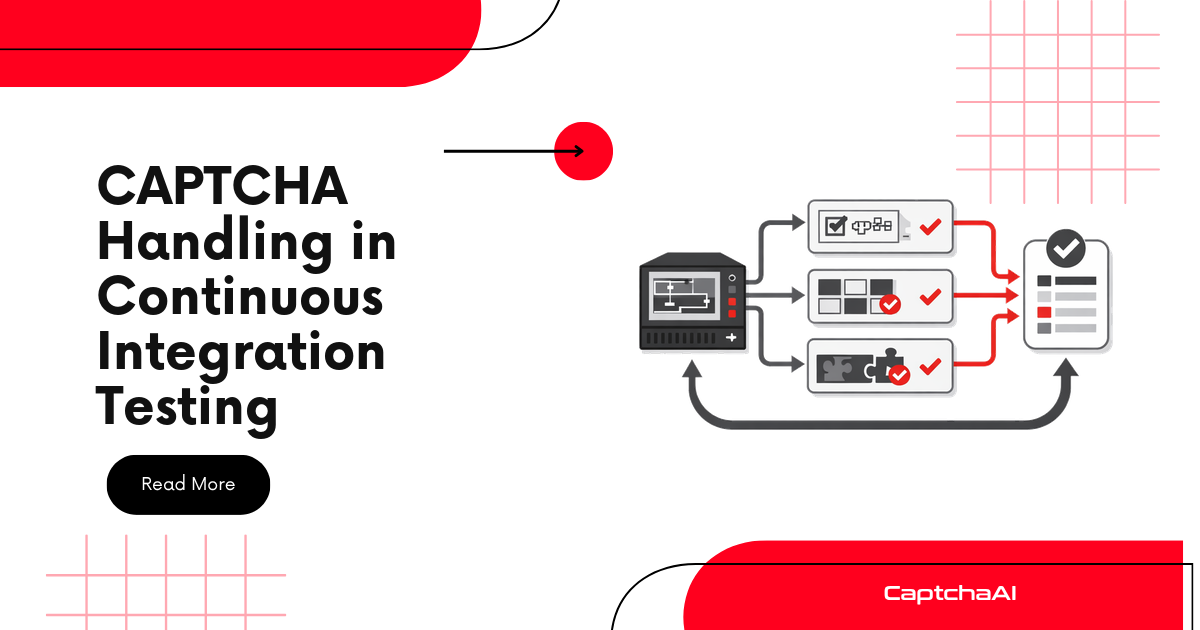
Run end-to-end tests against CAPTCHA-protected pages in your CI/CD pipeline — no manual intervention needed.
The Problem
CI/CD pipelines run automatically. CAPTCHAs require human interaction. Without a solving service, your end-to-end tests fail every time they hit a CAPTCHA.
Solution: Use CaptchaAI's API in your test suite. The API key is stored as a CI secret, and tests solve CAPTCHAs automatically during pipeline execution.
Architecture
┌──────────────┐     ┌──────────────┐     ┌────────────┐     ┌──────────────┐
│ Git Push     │────▶│ CI Runner    │────▶│ E2E Tests  │────▶│ Test Report  │
│              │     │ (headless    │     │ + CAPTCHA  │     │              │
│              │     │  Chrome)     │     │ solving    │     │              │
└──────────────┘     └──────────────┘     └────────────┘     └──────────────┘
                                                │
                                                ▼
                                         ┌────────────┐
                                         │ CaptchaAI  │
                                         │ API        │
                                         └────────────┘
Test Helper
import os
import time
import requests


class CICaptchaSolver:
    """CAPTCHA solver designed for CI environments."""
    BASE = "https://ocr.captchaai.com"

    def __init__(self):
        self.api_key = os.environ.get("CAPTCHAAI_API_KEY")
        if not self.api_key:
            raise EnvironmentError("CAPTCHAAI_API_KEY not set")

    def solve(self, params, initial_wait=10, timeout=120):
        params["key"] = self.api_key
        params["json"] = 1
        resp = requests.post(f"{self.BASE}/in.php", data=params).json()
        if resp["status"] != 1:
            raise Exception(f"CAPTCHA submit failed: {resp['request']}")

        task_id = resp["request"]
        time.sleep(initial_wait)
        deadline = time.time() + timeout

        while time.time() < deadline:
            result = requests.get(
                f"{self.BASE}/res.php",
                params={"key": self.api_key, "action": "get", "id": task_id, "json": 1},
            ).json()
            if result["request"] == "CAPCHA_NOT_READY":
                time.sleep(5)
                continue
            if result["status"] == 1:
                return result["request"]
            raise Exception(f"CAPTCHA solve failed: {result['request']}")

        raise TimeoutError("CAPTCHA solve timed out in CI")

    def solve_recaptcha(self, sitekey, pageurl):
        return self.solve({
            "method": "userrecaptcha",
            "googlekey": sitekey,
            "pageurl": pageurl,
        })

    def solve_turnstile(self, sitekey, pageurl):
        return self.solve({
            "method": "turnstile",
            "sitekey": sitekey,
            "pageurl": pageurl,
        })
pytest Integration
conftest.py
import pytest
from selenium import webdriver
from selenium.webdriver.chrome.options import Options


@pytest.fixture(scope="session")
def captcha_solver():
    return CICaptchaSolver()


@pytest.fixture(scope="function")
def browser():
    options = Options()
    options.add_argument("--headless")
    options.add_argument("--no-sandbox")
    options.add_argument("--disable-dev-shm-usage")
    options.add_argument("--disable-gpu")
    driver = webdriver.Chrome(options=options)
    driver.set_window_size(1920, 1080)
    yield driver
    driver.quit()
Test File
import time
from selenium.webdriver.common.by import By
from selenium.webdriver.support.ui import WebDriverWait
from selenium.webdriver.support import expected_conditions as EC


class TestLoginFlow:
    SITEKEY = "6Le-wvkSAAAAAPBMRTvw0Q4Muexq9bi0DJwx_mJ-"
    LOGIN_URL = "https://staging.example.com/login"

    def test_login_with_captcha(self, browser, captcha_solver):
        browser.get(self.LOGIN_URL)

        # Fill credentials
        browser.find_element(By.ID, "username").send_keys("testuser")
        browser.find_element(By.ID, "password").send_keys("testpass123")

        # Solve CAPTCHA
        token = captcha_solver.solve_recaptcha(self.SITEKEY, self.LOGIN_URL)
        browser.execute_script(
            f'document.querySelector("[name=g-recaptcha-response]").value = "{token}";'
        )

        # Submit
        browser.find_element(By.ID, "login-btn").click()
        time.sleep(3)

        # Verify login success
        assert "dashboard" in browser.current_url.lower()

    def test_login_wrong_password(self, browser, captcha_solver):
        browser.get(self.LOGIN_URL)
        browser.find_element(By.ID, "username").send_keys("testuser")
        browser.find_element(By.ID, "password").send_keys("wrongpass")

        token = captcha_solver.solve_recaptcha(self.SITEKEY, self.LOGIN_URL)
        browser.execute_script(
            f'document.querySelector("[name=g-recaptcha-response]").value = "{token}";'
        )

        browser.find_element(By.ID, "login-btn").click()
        time.sleep(3)

        error = browser.find_element(By.CSS_SELECTOR, ".error-message")
        assert error.is_displayed()


class TestContactForm:
    SITEKEY = "0x4AAAA..."
    FORM_URL = "https://staging.example.com/contact"

    def test_contact_form_submission(self, browser, captcha_solver):
        browser.get(self.FORM_URL)

        browser.find_element(By.ID, "name").send_keys("CI Test")
        browser.find_element(By.ID, "email").send_keys("[email protected]")
        browser.find_element(By.ID, "message").send_keys("Automated CI test")

        token = captcha_solver.solve_turnstile(self.SITEKEY, self.FORM_URL)
        browser.execute_script(
            f'document.querySelector("[name=cf-turnstile-response]").value = "{token}";'
        )

        browser.find_element(By.CSS_SELECTOR, "button[type='submit']").click()

        WebDriverWait(browser, 10).until(
            EC.presence_of_element_located((By.CSS_SELECTOR, ".success-message"))
        )
GitHub Actions Workflow
name: E2E Tests with CAPTCHA

on:
  push:
    branches: [main, staging]
  pull_request:
    branches: [main]

jobs:
  e2e-tests:
    runs-on: ubuntu-latest

    steps:

      - uses: actions/checkout@v4

      - name: Set up Python
        uses: actions/setup-python@v5
        with:
          python-version: "3.11"

      - name: Install Chrome
        uses: browser-actions/setup-chrome@v1
        with:
          chrome-version: stable

      - name: Install ChromeDriver
        uses: nanasess/setup-chromedriver@v2

      - name: Install dependencies
        run: |
          pip install selenium requests pytest pytest-html

      - name: Run E2E tests
        env:
          CAPTCHAAI_API_KEY: ${{ secrets.CAPTCHAAI_API_KEY }}
        run: |
          pytest tests/e2e/ -v --html=report.html --self-contained-html

      - name: Upload test report
        uses: actions/upload-artifact@v4
        if: always()
        with:
          name: e2e-report
          path: report.html
GitLab CI Configuration
e2e_tests:
  stage: test
  image: python:3.11
  services:

    - selenium/standalone-chrome:latest
  variables:
    SELENIUM_REMOTE_URL: "http://selenium__standalone-chrome:4444/wd/hub"
  script:

    - pip install selenium requests pytest
    - pytest tests/e2e/ -v
  artifacts:
    when: always
    reports:
      junit: report.xml
Jenkins Pipeline
pipeline {
    agent any
    environment {
        CAPTCHAAI_API_KEY = credentials('captchaai-api-key')
    }
    stages {
        stage('Setup') {
            steps {
                sh 'pip install selenium requests pytest'
            }
        }
        stage('E2E Tests') {
            steps {
                sh 'pytest tests/e2e/ -v --junitxml=results.xml'
            }
        }
    }
    post {
        always {
            junit 'results.xml'
        }
    }
}
Cost Management in CI
Only Solve When Needed
import os

def should_run_captcha_tests():
    """Skip CAPTCHA tests in certain environments."""
    if os.environ.get("SKIP_CAPTCHA_TESTS"):
        return False
    if not os.environ.get("CAPTCHAAI_API_KEY"):
        return False
    return True


# In test
import pytest

@pytest.mark.skipif(
    not should_run_captcha_tests(),
    reason="CAPTCHA tests disabled or API key not set"
)
class TestWithCaptcha:
    def test_login(self, browser, captcha_solver):
        pass
Balance Check Before Test Suite
@pytest.fixture(scope="session", autouse=True)
def check_captcha_balance(captcha_solver):
    import requests
    resp = requests.get(
        f"{captcha_solver.BASE}/res.php",
        params={"key": captcha_solver.api_key, "action": "getbalance"},
    )
    balance = float(resp.text)
    if balance < 0.50:
        pytest.skip(f"CaptchaAI balance too low: ${balance:.2f}")
Troubleshooting
| Issue | Cause | Fix |
|---|---|---|
CAPTCHAAI_API_KEY not set |
Secret not configured | Add key to CI secrets |
| Chrome crashes in CI | Missing --no-sandbox flag |
Add headless Chrome flags |
| Tests pass locally, fail in CI | Different browser version | Pin Chrome version in CI |
| CAPTCHA times out | CI network is slow | Increase timeout parameter |
| Tests are expensive | Too many CAPTCHA solves per run | Use SKIP_CAPTCHA_TESTS for PR builds |
FAQ
Should every CI run solve CAPTCHAs?
No. Run CAPTCHA tests on merge to main or on a schedule (nightly). Skip for every PR to reduce costs. Use the SKIP_CAPTCHA_TESTS flag.
How do I store the API key securely in CI?
Use your CI platform's secrets management: GitHub Secrets, GitLab CI Variables, or Jenkins Credentials. Never hardcode the key.
Can I run CAPTCHA tests in parallel?
Yes. Each test gets its own CAPTCHA solve, and CaptchaAI handles concurrent requests. Use pytest-xdist for parallel test execution.
Related Guides
Add CAPTCHA solving to your CI — get started with CaptchaAI.
Full Working Code
Complete runnable examples for this article in Python, Node.js, PHP, Go, Java, C#, Ruby, Rust, Kotlin & Bash.
View on GitHub →


Discussions (0)
Join the conversation
Sign in to share your opinion.
Sign InNo comments yet.