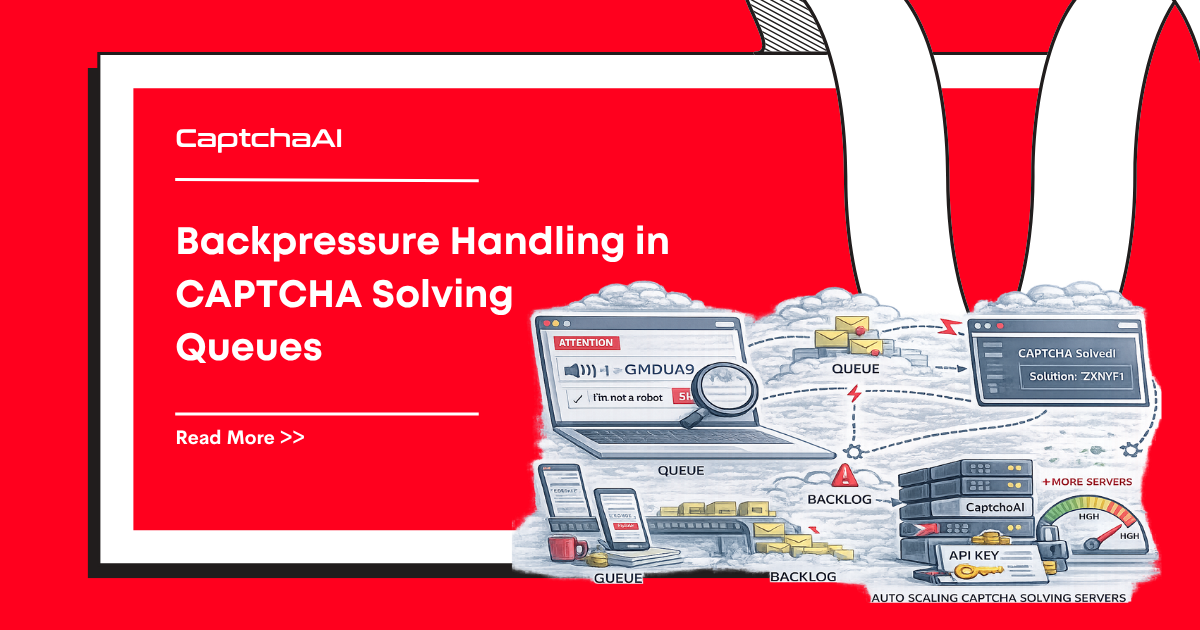
When your scraper finds CAPTCHAs faster than CaptchaAI can solve them, an unbounded queue grows until memory runs out. Backpressure is the mechanism that slows down producers when consumers can't keep up.
The Backpressure Problem
Without backpressure:
[Scraper] → 100 tasks/sec → [Queue: ∞] → [Solver: 10/sec] → Memory exhaustion

With backpressure:
[Scraper] → 100 tasks/sec → [Queue: max 50] → [Solver: 10/sec]
                 ↑                                      ↓
                 └──── "slow down" signal ──────────────┘
If your scraper produces tasks at 100/sec but CaptchaAI solves at 10/sec, the queue grows by 90 tasks every second. In 11 seconds, you have 1,000 pending tasks.
Pattern 1: Bounded Queue with Blocking
The simplest approach — a queue with a maximum size. Producers block when the queue is full.
Python
import os
import time
import queue
import threading
import requests

API_KEY = os.environ["CAPTCHAAI_API_KEY"]

# Bounded queue — blocks when full
task_queue = queue.Queue(maxsize=50)
results = {}


def producer(tasks):
    """Scraper adds tasks. Blocks when queue is full."""
    for task in tasks:
        # This blocks if queue has 50 pending items
        task_queue.put(task)
        print(f"Queued: {task['id']} (queue size: {task_queue.qsize()})")


def worker():
    """Consumer — solves CAPTCHAs from the queue."""
    while True:
        task = task_queue.get()
        if task is None:
            break

        try:
            resp = requests.post("https://ocr.captchaai.com/in.php", data={
                "key": API_KEY,
                "method": "userrecaptcha",
                "googlekey": task["sitekey"],
                "pageurl": task["pageurl"],
                "json": 1
            })
            data = resp.json()

            if data.get("status") == 1:
                captcha_id = data["request"]
                solution = poll_result(captcha_id)
                results[task["id"]] = solution
        except Exception as e:
            results[task["id"]] = f"ERROR: {e}"
        finally:
            task_queue.task_done()


def poll_result(captcha_id):
    for _ in range(60):
        time.sleep(5)
        result = requests.get("https://ocr.captchaai.com/res.php", params={
            "key": API_KEY, "action": "get", "id": captcha_id, "json": 1
        }).json()
        if result.get("status") == 1:
            return result["request"]
        if result.get("request") != "CAPCHA_NOT_READY":
            return f"ERROR: {result.get('request')}"
    return "ERROR: TIMEOUT"


# Start 5 worker threads
workers = []
for _ in range(5):
    t = threading.Thread(target=worker, daemon=True)
    t.start()
    workers.append(t)

# Producer populates queue — naturally slows when queue is full
tasks = [
    {"id": f"t_{i}", "sitekey": "6Le-wvkSAAAAAPBMRTvw0Q4Muexq9bi0DJwx_mJ-",
     "pageurl": f"https://example.com/{i}"}
    for i in range(200)
]

producer(tasks)
task_queue.join()  # Wait for all tasks to complete
JavaScript
class BoundedQueue {
  constructor(maxSize) {
    this.maxSize = maxSize;
    this.queue = [];
    this.waiters = [];
    this.consumers = [];
  }

  async put(item) {
    while (this.queue.length >= this.maxSize) {
      // Wait until space is available
      await new Promise((resolve) => this.waiters.push(resolve));
    }
    this.queue.push(item);

    // Wake up a waiting consumer
    if (this.consumers.length > 0) {
      this.consumers.shift()();
    }
  }

  async get() {
    while (this.queue.length === 0) {
      await new Promise((resolve) => this.consumers.push(resolve));
    }
    const item = this.queue.shift();

    // Wake up a waiting producer
    if (this.waiters.length > 0) {
      this.waiters.shift()();
    }
    return item;
  }

  get size() {
    return this.queue.length;
  }
}

const taskQueue = new BoundedQueue(50);
Pattern 2: Load Shedding
When the queue is full, drop low-priority tasks instead of blocking.
Python
class LoadSheddingQueue:
    def __init__(self, maxsize, drop_callback=None):
        self.queue = queue.Queue(maxsize=maxsize)
        self.dropped = 0
        self.drop_callback = drop_callback

    def put(self, task, priority="normal"):
        try:
            self.queue.put_nowait(task)
        except queue.Full:
            if priority == "high":
                # Drop oldest normal-priority task to make room
                try:
                    dropped = self.queue.get_nowait()
                    self.queue.put_nowait(task)
                    self.dropped += 1
                    if self.drop_callback:
                        self.drop_callback(dropped)
                except queue.Empty:
                    pass
            else:
                # Drop this task
                self.dropped += 1
                if self.drop_callback:
                    self.drop_callback(task)

    def get(self):
        return self.queue.get()

    @property
    def stats(self):
        return {
            "queued": self.queue.qsize(),
            "dropped": self.dropped
        }


def on_drop(task):
    print(f"DROPPED: {task['id']} (queue full)")

shed_queue = LoadSheddingQueue(maxsize=50, drop_callback=on_drop)
Pattern 3: Adaptive Concurrency
Automatically adjust worker count based on queue depth and error rates:
Python
import threading
import time


class AdaptiveSolver:
    def __init__(self, api_key, min_workers=2, max_workers=20):
        self.api_key = api_key
        self.min_workers = min_workers
        self.max_workers = max_workers
        self.task_queue = queue.Queue(maxsize=100)
        self.active_workers = 0
        self.error_count = 0
        self.success_count = 0
        self.lock = threading.Lock()
        self.workers = []

    def _adjust_workers(self):
        """Scale workers based on queue depth and error rate."""
        while True:
            time.sleep(10)  # Check every 10 seconds

            queue_depth = self.task_queue.qsize()
            total = self.success_count + self.error_count
            error_rate = self.error_count / max(total, 1)

            target_workers = self.active_workers

            if queue_depth > 30 and error_rate < 0.1:
                # Queue building up, errors low — scale up
                target_workers = min(
                    self.active_workers + 2,
                    self.max_workers
                )
            elif queue_depth < 5 or error_rate > 0.2:
                # Queue draining or errors high — scale down
                target_workers = max(
                    self.active_workers - 1,
                    self.min_workers
                )

            if target_workers != self.active_workers:
                self._set_worker_count(target_workers)
                print(f"Adjusted workers: {self.active_workers} → {target_workers} "
                      f"(queue={queue_depth}, err_rate={error_rate:.1%})")

    def _set_worker_count(self, target):
        """Add or remove workers to reach target count."""
        while self.active_workers < target:
            t = threading.Thread(target=self._worker, daemon=True)
            t.start()
            self.workers.append(t)
            self.active_workers += 1

        # Note: removing workers requires a stop signal mechanism

    def _worker(self):
        while True:
            task = self.task_queue.get()
            try:
                solve_captcha(task)
                with self.lock:
                    self.success_count += 1
            except Exception:
                with self.lock:
                    self.error_count += 1
            finally:
                self.task_queue.task_done()

    def start(self):
        """Start minimum workers + adjuster thread."""
        self._set_worker_count(self.min_workers)
        adjuster = threading.Thread(target=self._adjust_workers, daemon=True)
        adjuster.start()
Pattern 4: Circuit Breaker + Backpressure
Stop submitting entirely when error rates spike:
class CircuitBreaker:
    def __init__(self, failure_threshold=5, reset_timeout=30):
        self.failure_threshold = failure_threshold
        self.reset_timeout = reset_timeout
        self.failures = 0
        self.last_failure = 0
        self.state = "closed"  # closed=normal, open=blocking, half-open=testing

    def can_proceed(self):
        if self.state == "closed":
            return True
        if self.state == "open":
            if time.time() - self.last_failure > self.reset_timeout:
                self.state = "half-open"
                return True
            return False
        return True  # half-open: allow one request

    def record_success(self):
        self.failures = 0
        self.state = "closed"

    def record_failure(self):
        self.failures += 1
        self.last_failure = time.time()
        if self.failures >= self.failure_threshold:
            self.state = "open"
            print(f"Circuit OPEN — pausing submissions for {self.reset_timeout}s")
Choosing the Right Pattern
| Scenario | Best Pattern |
|---|---|
| Scraper produces bursts, average rate ≤ solve rate | Bounded queue with blocking |
| Scraper consistently produces faster than solve rate | Load shedding |
| Variable load, need auto-scaling | Adaptive concurrency |
| External API having issues | Circuit breaker |
| Production system | Combine all patterns |
Troubleshooting
| Issue | Cause | Fix |
|---|---|---|
| Producer permanently blocked | Queue full, workers not consuming | Check worker health; increase worker count or queue size |
| Too many tasks dropped | Queue size too small for burst patterns | Increase queue maxsize; bursts need buffer capacity |
| Adaptive scaling oscillating | Check interval too short | Increase adjustment interval to 30+ seconds; use smoothed metrics |
| Memory still growing | Unbounded result storage | Add TTL to results; clean up processed results |
FAQ
What queue size should I use?
Set queue size to 2–5× your worker count. With 10 workers, a queue of 20–50 provides buffer without excessive memory usage. Larger buffers absorb bursts but delay backpressure signals.
Should I use backpressure or rate limiting?
Both. Rate limiting controls how fast you send to CaptchaAI. Backpressure controls how much work your scraper can queue. They solve different problems.
How do I monitor backpressure?
Log queue depth periodically. If it stays near max_size, your producers are consistently faster than consumers — add more workers or reduce production rate.
Next Steps
Build resilient CAPTCHA pipelines — get your CaptchaAI API key and implement backpressure from day one.
Related guides:






Discussions (0)
Join the conversation
Sign in to share your opinion.
Sign InNo comments yet.