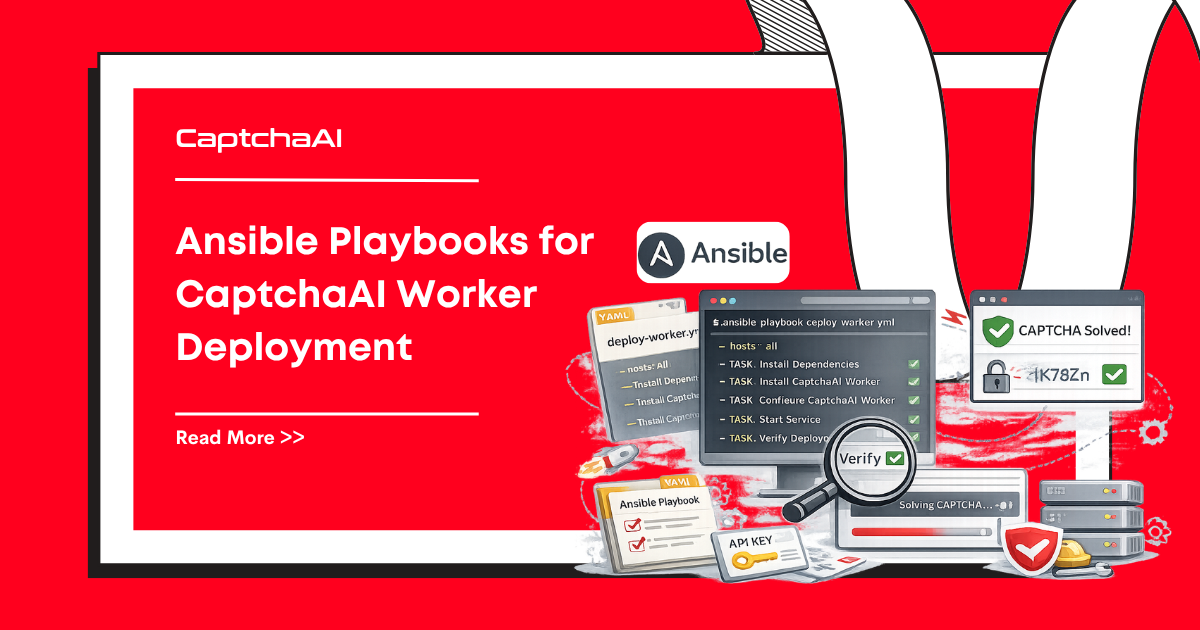
Terraform provisions infrastructure; Ansible configures it. Use Ansible playbooks to deploy CAPTCHA solving workers across your server fleet, push configuration changes, and run rolling updates without downtime.
Project Structure
ansible/
├── inventory/
│   ├── production.yml
│   └── staging.yml
├── roles/
│   └── captcha-worker/
│       ├── tasks/
│       │   └── main.yml
│       ├── templates/
│       │   ├── captcha-worker.service.j2
│       │   └── config.yaml.j2
│       ├── handlers/
│       │   └── main.yml
│       └── defaults/
│           └── main.yml
├── playbooks/
│   ├── deploy.yml
│   ├── rolling-update.yml
│   └── health-check.yml
└── ansible.cfg
Inventory
# inventory/production.yml
all:
  children:
    captcha_workers:
      hosts:
        worker-1:
          ansible_host: 10.0.1.10
        worker-2:
          ansible_host: 10.0.1.11
        worker-3:
          ansible_host: 10.0.1.12
      vars:
        captchaai_concurrency: 20
        captchaai_poll_interval: 3
        captchaai_log_level: warning
        worker_version: "1.3.0"
# inventory/staging.yml
all:
  children:
    captcha_workers:
      hosts:
        staging-worker-1:
          ansible_host: 10.0.2.10
      vars:
        captchaai_concurrency: 5
        captchaai_poll_interval: 5
        captchaai_log_level: debug
        worker_version: "1.4.0-rc1"
Role: captcha-worker
Default Variables
# roles/captcha-worker/defaults/main.yml
captchaai_concurrency: 10
captchaai_poll_interval: 5
captchaai_log_level: info
captchaai_timeout: 300
captchaai_retries: 3
worker_version: "latest"
worker_user: captcha
worker_dir: /opt/captcha-worker
worker_venv: /opt/captcha-worker/venv
Tasks
# roles/captcha-worker/tasks/main.yml
---

- name: Create worker user
  ansible.builtin.user:
    name: "{{ worker_user }}"
    system: true
    shell: /usr/sbin/nologin
    home: "{{ worker_dir }}"

- name: Create worker directory
  ansible.builtin.file:
    path: "{{ worker_dir }}"
    state: directory
    owner: "{{ worker_user }}"
    mode: "0755"

- name: Install system dependencies
  ansible.builtin.apt:
    name:

      - python3
      - python3-venv
      - python3-pip
    state: present
    update_cache: true

- name: Create Python virtual environment
  ansible.builtin.command:
    cmd: python3 -m venv {{ worker_venv }}
    creates: "{{ worker_venv }}/bin/activate"

- name: Install Python dependencies
  ansible.builtin.pip:
    name:

      - requests>=2.31.0
      - pyyaml>=6.0
    virtualenv: "{{ worker_venv }}"

- name: Deploy worker application
  ansible.builtin.copy:
    src: captcha_worker.py
    dest: "{{ worker_dir }}/captcha_worker.py"
    owner: "{{ worker_user }}"
    mode: "0644"
  notify: restart captcha-worker

- name: Deploy configuration
  ansible.builtin.template:
    src: config.yaml.j2
    dest: "{{ worker_dir }}/config.yaml"
    owner: "{{ worker_user }}"
    mode: "0600"
  notify: restart captcha-worker

- name: Deploy systemd service
  ansible.builtin.template:
    src: captcha-worker.service.j2
    dest: /etc/systemd/system/captcha-worker.service
    mode: "0644"
  notify:

    - reload systemd
    - restart captcha-worker

- name: Enable and start service
  ansible.builtin.systemd:
    name: captcha-worker
    enabled: true
    state: started
Templates
# roles/captcha-worker/templates/config.yaml.j2
# CaptchaAI Worker Configuration
# Managed by Ansible — do not edit manually
concurrency: {{ captchaai_concurrency }}
poll_interval: {{ captchaai_poll_interval }}
timeout: {{ captchaai_timeout }}
retries: {{ captchaai_retries }}
log_level: {{ captchaai_log_level }}
# roles/captcha-worker/templates/captcha-worker.service.j2
[Unit]
Description=CaptchaAI CAPTCHA Solving Worker
After=network.target
Wants=network-online.target

[Service]
Type=simple
User={{ worker_user }}
WorkingDirectory={{ worker_dir }}
ExecStart={{ worker_venv }}/bin/python {{ worker_dir }}/captcha_worker.py
Environment=CAPTCHAAI_API_KEY={{ captchaai_api_key }}
Restart=always
RestartSec=10
TimeoutStopSec=30

# Security hardening
NoNewPrivileges=true
ProtectSystem=strict
ReadWritePaths={{ worker_dir }}

[Install]
WantedBy=multi-user.target
Handlers
# roles/captcha-worker/handlers/main.yml
---

- name: reload systemd
  ansible.builtin.systemd:
    daemon_reload: true

- name: restart captcha-worker
  ansible.builtin.systemd:
    name: captcha-worker
    state: restarted
Playbooks
Deploy
# playbooks/deploy.yml
---

- name: Deploy CaptchaAI Workers
  hosts: captcha_workers
  become: true
  vars_prompt:

    - name: captchaai_api_key
      prompt: "Enter CaptchaAI API key"
      private: true

  pre_tasks:

    - name: Verify connectivity
      ansible.builtin.ping:

  roles:

    - captcha-worker

  post_tasks:

    - name: Wait for worker to start
      ansible.builtin.wait_for:
        port: 8080
        timeout: 30
      ignore_errors: true

    - name: Check worker status
      ansible.builtin.systemd:
        name: captcha-worker
      register: worker_status

    - name: Report status
      ansible.builtin.debug:
        msg: "Worker {{ inventory_hostname }}: {{ worker_status.status.ActiveState }}"
Rolling Update
# playbooks/rolling-update.yml
---

- name: Rolling Update CaptchaAI Workers
  hosts: captcha_workers
  become: true
  serial: 1   # Update one host at a time
  max_fail_percentage: 0

  tasks:

    - name: Drain current tasks
      ansible.builtin.command:
        cmd: "{{ worker_venv }}/bin/python {{ worker_dir }}/drain.py"
      timeout: 120
      ignore_errors: true

    - name: Stop worker
      ansible.builtin.systemd:
        name: captcha-worker
        state: stopped

    - name: Deploy new version
      ansible.builtin.copy:
        src: "captcha_worker.py"
        dest: "{{ worker_dir }}/captcha_worker.py"
        owner: "{{ worker_user }}"
        mode: "0644"

    - name: Update dependencies
      ansible.builtin.pip:
        requirements: "{{ worker_dir }}/requirements.txt"
        virtualenv: "{{ worker_venv }}"

    - name: Start worker
      ansible.builtin.systemd:
        name: captcha-worker
        state: started

    - name: Verify worker health
      ansible.builtin.uri:
        url: "http://localhost:8080/health"
        return_content: true
      register: health
      until: health.status == 200
      retries: 6
      delay: 10

    - name: Report update result
      ansible.builtin.debug:
        msg: "{{ inventory_hostname }} updated — {{ health.content }}"
Health Check
# playbooks/health-check.yml
---

- name: Check CaptchaAI Worker Health
  hosts: captcha_workers
  become: false
  gather_facts: false

  tasks:

    - name: Check systemd service
      ansible.builtin.systemd:
        name: captcha-worker
      register: service_status
      become: true

    - name: Check API connectivity
      ansible.builtin.uri:
        url: "https://ocr.captchaai.com/res.php?key={{ captchaai_api_key }}&action=getbalance&json=1"
        return_content: true
      register: api_check
      delegate_to: localhost
      run_once: true

    - name: Summary
      ansible.builtin.debug:
        msg: |
          Host: {{ inventory_hostname }}
          Service: {{ service_status.status.ActiveState }}
          API Balance: {{ (api_check.content | from_json).request }}
Run Commands
# Deploy to staging
ansible-playbook -i inventory/staging.yml playbooks/deploy.yml

# Rolling update in production
ansible-playbook -i inventory/production.yml playbooks/rolling-update.yml

# Health check
ansible-playbook -i inventory/production.yml playbooks/health-check.yml

# Limit to specific hosts
ansible-playbook -i inventory/production.yml playbooks/deploy.yml --limit worker-1
Troubleshooting
| Issue | Cause | Fix |
|---|---|---|
| "Unreachable" host | SSH key not configured | Add SSH key: ssh-copy-id user@host |
| Service won't start | Missing API key env var | Check vars_prompt or use Ansible Vault |
| Rolling update stuck | Health check failing | Check journalctl -u captcha-worker; increase retries |
| Config not applied | Handler not triggered | Run with --force-handlers or add changed_when: true |
FAQ
How do I securely store the API key?
Use Ansible Vault: ansible-vault encrypt_string 'your-api-key' --name 'captchaai_api_key'. Reference the encrypted variable in your inventory or group vars.
Can I use Ansible with Docker containers?
Yes. Replace the systemd tasks with community.docker.docker_container module. Ansible manages the container lifecycle instead of a systemd service.
How does Ansible compare to Terraform?
Terraform provisions infrastructure (create servers, networks). Ansible configures servers (install software, deploy code). Use both together — Terraform creates the fleet, Ansible configures it.
Next Steps
Automate your worker fleet — get your CaptchaAI API key and deploy with Ansible playbooks.
Related guides:
Full Working Code
Complete runnable examples for this article in Python, Node.js, PHP, Go, Java, C#, Ruby, Rust, Kotlin & Bash.
View on GitHub →

Discussions (0)
Join the conversation
Sign in to share your opinion.
Sign InNo comments yet.