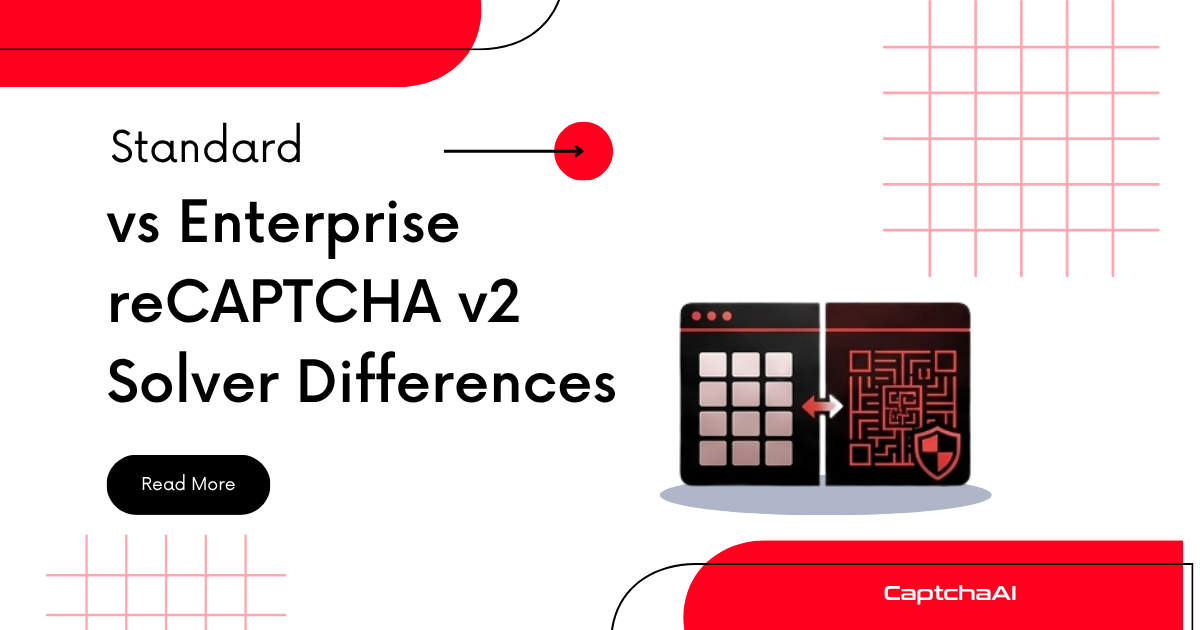
Both versions present the same "I'm not a robot" checkbox and image grid challenges. The difference is in the backend: Enterprise adds reason codes, custom rules, and Google Cloud integration. For solving, the only change is adding enterprise=1 to your CaptchaAI request — but detecting which version a site uses is the part developers get wrong most often.
Feature comparison
| Feature | Standard v2 | Enterprise v2 |
|---|---|---|
| Checkbox widget | Yes — identical appearance | Yes — identical appearance |
| Image challenges | 3×3 or 4×4 grids | 3×3 or 4×4 grids |
| JS file | api.js |
enterprise.js |
| Execute function | grecaptcha.execute() |
grecaptcha.enterprise.execute() |
| Verification API | siteverify (free) |
recaptchaenterprise.googleapis.com (paid) |
| Reason codes | No | Yes (AUTOMATION, TOO_MUCH_TRAFFIC, etc.) |
| Custom rules | No | Yes (per-action thresholds) |
| Google Cloud Console | No | Yes (project-based management) |
| Password leak detection | No | Yes |
| Token format | Same structure | Same structure |
| CaptchaAI parameter | — | enterprise=1 |
| Typical solve time | 10-30 seconds | 10-30 seconds |
How to detect Enterprise v2
The key difference is which JavaScript file the page loads:
Check the script tag:
<!-- Standard v2 -->
<script src="https://www.google.com/recaptcha/api.js"></script>

<!-- Enterprise v2 -->
<script src="https://www.google.com/recaptcha/enterprise.js"></script>
Automated detection (Python):
import requests
from bs4 import BeautifulSoup

def detect_recaptcha_version(url):
    resp = requests.get(url)
    soup = BeautifulSoup(resp.text, "html.parser")

    enterprise_script = soup.find("script", src=lambda s: s and "enterprise.js" in s)
    standard_script = soup.find("script", src=lambda s: s and "recaptcha/api.js" in s)

    widget = soup.find(class_="g-recaptcha")
    sitekey = widget["data-sitekey"] if widget else None

    if enterprise_script:
        return {"version": "enterprise_v2", "sitekey": sitekey}
    elif standard_script:
        return {"version": "standard_v2", "sitekey": sitekey}
    return None

info = detect_recaptcha_version("https://example.com/login")
print(info)
Automated detection (Node.js):
const axios = require("axios");
const cheerio = require("cheerio");

async function detectRecaptchaVersion(url) {
  const { data } = await axios.get(url);
  const $ = cheerio.load(data);

  const hasEnterprise = $('script[src*="enterprise.js"]').length > 0;
  const hasStandard = $('script[src*="recaptcha/api.js"]').length > 0;
  const sitekey = $(".g-recaptcha").attr("data-sitekey");

  if (hasEnterprise) return { version: "enterprise_v2", sitekey };
  if (hasStandard) return { version: "standard_v2", sitekey };
  return null;
}
Browser console check:
// Quick check in DevTools
if (document.querySelector('script[src*="enterprise.js"]')) {
  console.log("Enterprise v2");
} else if (document.querySelector('script[src*="recaptcha/api.js"]')) {
  console.log("Standard v2");
}
Solving with CaptchaAI
Standard v2
import requests
import time

# Submit task
resp = requests.get("https://ocr.captchaai.com/in.php", params={
    "key": "YOUR_API_KEY",
    "method": "userrecaptcha",
    "googlekey": sitekey,
    "pageurl": page_url
})
task_id = resp.text.split("|")[1]

# Poll for token
for _ in range(60):
    time.sleep(5)
    result = requests.get("https://ocr.captchaai.com/res.php", params={
        "key": "YOUR_API_KEY", "action": "get", "id": task_id
    })
    if result.text.startswith("OK|"):
        token = result.text.split("|")[1]
        break
Enterprise v2
import requests
import time

# Submit task — only difference is enterprise=1
resp = requests.get("https://ocr.captchaai.com/in.php", params={
    "key": "YOUR_API_KEY",
    "method": "userrecaptcha",
    "googlekey": sitekey,
    "pageurl": page_url,
    "enterprise": 1  # Required for Enterprise
})
task_id = resp.text.split("|")[1]

# Polling is identical
for _ in range(60):
    time.sleep(5)
    result = requests.get("https://ocr.captchaai.com/res.php", params={
        "key": "YOUR_API_KEY", "action": "get", "id": task_id
    })
    if result.text.startswith("OK|"):
        token = result.text.split("|")[1]
        break
Universal solver that auto-detects
import requests
import time
from bs4 import BeautifulSoup

class RecaptchaV2Solver:
    def __init__(self, api_key):
        self.api_key = api_key

    def detect_and_solve(self, page_url, page_html=None):
        if not page_html:
            page_html = requests.get(page_url).text

        soup = BeautifulSoup(page_html, "html.parser")
        is_enterprise = bool(soup.find("script", src=lambda s: s and "enterprise.js" in s))
        widget = soup.find(class_="g-recaptcha")
        sitekey = widget["data-sitekey"] if widget else None

        if not sitekey:
            raise Exception("No reCAPTCHA sitekey found on page")

        params = {
            "key": self.api_key,
            "method": "userrecaptcha",
            "googlekey": sitekey,
            "pageurl": page_url
        }
        if is_enterprise:
            params["enterprise"] = 1

        resp = requests.get("https://ocr.captchaai.com/in.php", params=params)
        if not resp.text.startswith("OK|"):
            raise Exception(f"Submit failed: {resp.text}")

        task_id = resp.text.split("|")[1]

        for _ in range(60):
            time.sleep(5)
            result = requests.get("https://ocr.captchaai.com/res.php", params={
                "key": self.api_key, "action": "get", "id": task_id
            })
            if result.text.startswith("OK|"):
                return {
                    "token": result.text.split("|")[1],
                    "is_enterprise": is_enterprise,
                    "sitekey": sitekey
                }
            if result.text != "CAPCHA_NOT_READY":
                raise Exception(f"Solve failed: {result.text}")

        raise Exception("Solve timed out")


solver = RecaptchaV2Solver("YOUR_API_KEY")
result = solver.detect_and_solve("https://example.com/login")
print(f"Enterprise: {result['is_enterprise']}, Token: {result['token'][:40]}...")
Common mistakes
| Mistake | What happens | Fix |
|---|---|---|
Using enterprise=1 on standard v2 |
May return invalid tokens | Check for enterprise.js before adding the flag |
Omitting enterprise=1 on Enterprise v2 |
Token may be rejected by site backend | Always add enterprise=1 when enterprise.js is present |
| Using wrong sitekey | ERROR_WRONG_GOOGLEKEY |
Extract from data-sitekey on the .g-recaptcha element |
| Confusing v2 Enterprise with v3 Enterprise | Wrong solving parameters | v2 has checkbox; v3 is invisible with score |
Token injection — same for both
# Selenium injection — works for both standard and enterprise
driver.execute_script(
    f'document.getElementById("g-recaptcha-response").value = "{token}";'
)

# If the page uses a callback function
callback = driver.find_element("css selector", ".g-recaptcha").get_attribute("data-callback")
if callback:
    driver.execute_script(f'{callback}("{token}");')
// Puppeteer injection — works for both
await page.evaluate((token) => {
  document.getElementById("g-recaptcha-response").value = token;
  // Find and call callback if present
  const widget = document.querySelector(".g-recaptcha");
  const cb = widget?.getAttribute("data-callback");
  if (cb && typeof window[cb] === "function") {
    window[cb](token);
  }
}, token);
FAQ
Is Enterprise v2 harder to solve?
No. The challenge mechanics are identical — same checkbox, same image grids. Enterprise adds backend analytics (reason codes, custom thresholds) but does not change the challenge difficulty for the solver.
Can I use the same code for both versions?
Almost. The only parameter difference is enterprise=1. Use the auto-detection approach above to build one codebase that handles both. Detection, polling, and token injection are identical.
Do I need to handle Enterprise reason codes?
No. Reason codes are returned by Google to the website's backend during verification. They are invisible to the CAPTCHA solver. Your CaptchaAI integration does not need any changes for reason codes.
Does Enterprise v2 cost more to solve?
Check CaptchaAI's current pricing page. Enterprise solves may be priced differently, but the API integration effort is the same.
How do I know if detection worked correctly?
If you send enterprise=1 for a standard site, the solve may succeed but the token might be rejected by the target site. If you omit it for an Enterprise site, the same can happen. Always verify by checking the script URL first.
Related guides
- reCAPTCHA Enterprise vs Standard — Complete Guide — full comparison across all versions
- How to Solve reCAPTCHA v2 Using API — standard v2 tutorial
- How to Solve reCAPTCHA v2 Enterprise Using API — enterprise v2 tutorial
- How to Identify reCAPTCHA Enterprise Implementation — detection deep dive
- How to Identify reCAPTCHA Enterprise Implementation

Discussions (0)
Join the conversation
Sign in to share your opinion.
Sign InNo comments yet.