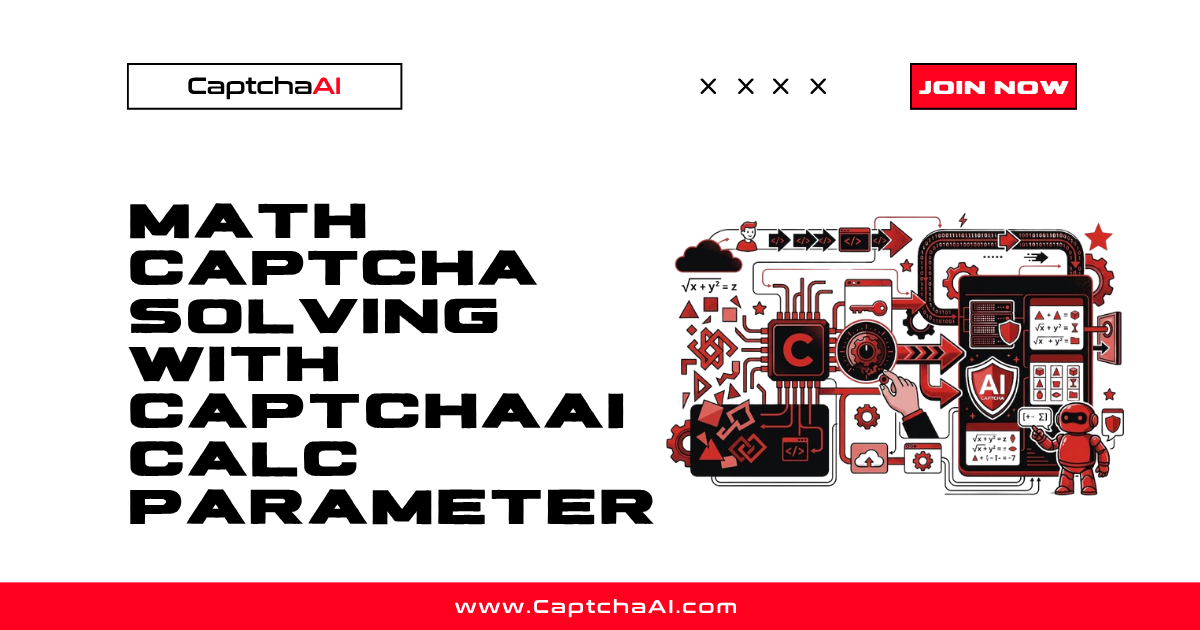
Math CAPTCHAs display an arithmetic equation and expect the computed result — not the equation text. The calc parameter tells CaptchaAI to solve the math and return the answer.
How calc Works
| calc Value | Behavior |
|---|---|
0 (default) |
Returns the text as-is (e.g., "3+7") |
1 |
Computes the result and returns it (e.g., "10") |
Basic Math CAPTCHA Solving
import requests
import base64
import time
import os

API_KEY = os.environ["CAPTCHAAI_API_KEY"]


def solve_math_captcha(image_b64):
    """Solve a math CAPTCHA — returns the computed result."""
    resp = requests.post("https://ocr.captchaai.com/in.php", data={
        "key": API_KEY,
        "method": "base64",
        "body": image_b64,
        "calc": 1,          # Compute the math
        "numeric": 1,       # Result will be a number
        "json": 1,
    }, timeout=30)

    result = resp.json()
    if result.get("status") != 1:
        raise RuntimeError(result.get("request"))

    task_id = result["request"]

    time.sleep(8)
    for _ in range(24):
        resp = requests.get("https://ocr.captchaai.com/res.php", params={
            "key": API_KEY, "action": "get",
            "id": task_id, "json": 1,
        }, timeout=15)
        data = resp.json()
        if data.get("status") == 1:
            return data["request"]
        if data["request"] != "CAPCHA_NOT_READY":
            raise RuntimeError(data["request"])
        time.sleep(5)

    raise TimeoutError("Solve timeout")


# Example: Image shows "3 + 7 = ?"
# With calc=0: Returns "3+7"
# With calc=1: Returns "10"
Common Math CAPTCHA Formats
Format              Example        Result
─────────────────────────────────────────
Addition            3 + 7 = ?      10
Subtraction         15 - 8 = ?     7
Multiplication      4 × 6 = ?      24
Division            20 ÷ 5 = ?     4
Mixed               3 + 4 × 2 = ?  11
Text-based          "three plus five"  8
With Text Instructions
For complex formats, add instructions:
def solve_text_math_captcha(image_b64, instructions):
    """Solve a math CAPTCHA with custom instructions."""
    resp = requests.post("https://ocr.captchaai.com/in.php", data={
        "key": API_KEY,
        "method": "base64",
        "body": image_b64,
        "calc": 1,
        "textinstructions": instructions,
        "json": 1,
    }, timeout=30)
    return resp.json()


# Example instructions:
# "Solve the math expression and enter the number"
# "What is the result of the equation shown?"
# "Enter the sum of the two numbers"
Handling Edge Cases
# edge_cases.py


def validate_math_result(answer):
    """Validate and clean math CAPTCHA result."""
    if not answer:
        return None

    # Remove spaces
    answer = answer.strip()

    # Handle negative results
    if answer.startswith("-"):
        try:
            return str(int(answer))
        except ValueError:
            return answer

    # Handle decimal results
    try:
        num = float(answer)
        if num == int(num):
            return str(int(num))
        return str(num)
    except ValueError:
        return answer


def solve_math_with_fallback(image_b64):
    """Try calc=1, fall back to manual parsing if needed."""
    # Try with calc
    result = solve_math_captcha(image_b64)

    # Validate result is actually a number
    try:
        float(result)
        return result
    except (ValueError, TypeError):
        pass

    # Fallback: solve without calc and compute locally
    resp = requests.post("https://ocr.captchaai.com/in.php", data={
        "key": API_KEY,
        "method": "base64",
        "body": image_b64,
        "calc": 0,      # Get the expression text
        "json": 1,
    }, timeout=30)

    # ... poll for result ...
    expression = "3+7"  # Example OCR result

    # Safely evaluate
    return str(safe_eval(expression))


def safe_eval(expression):
    """Safely evaluate a simple math expression."""
    # Only allow digits and basic operators
    import re
    cleaned = expression.replace("×", "*").replace("÷", "/").replace("=", "").replace("?", "")
    cleaned = cleaned.strip()

    if not re.match(r'^[\d\s+\-*/().]+$', cleaned):
        raise ValueError(f"Unsafe expression: {expression}")

    return eval(cleaned)  # Safe because we validated the pattern
Complete Flow
# full_flow.py
from selenium import webdriver
from selenium.webdriver.common.by import By
import base64
import os


def solve_math_captcha_on_page(driver, captcha_selector, input_selector, submit_selector):
    """Complete flow: capture math CAPTCHA, solve, enter answer."""

    # Capture CAPTCHA image
    captcha_el = driver.find_element(By.CSS_SELECTOR, captcha_selector)
    image_b64 = captcha_el.screenshot_as_base64

    # Solve with calc=1
    answer = solve_math_captcha(image_b64)
    print(f"Math answer: {answer}")

    # Enter the computed result
    input_el = driver.find_element(By.CSS_SELECTOR, input_selector)
    input_el.clear()
    input_el.send_keys(answer)

    # Submit
    driver.find_element(By.CSS_SELECTOR, submit_selector).click()


# Usage
driver = webdriver.Chrome()
driver.get("https://example.com/form")

solve_math_captcha_on_page(
    driver,
    captcha_selector="#captcha-image",
    input_selector="#captcha-answer",
    submit_selector="#submit-btn",
)
Troubleshooting
| Issue | Cause | Fix |
|---|---|---|
| Returns expression instead of result | Missing calc=1 |
Add calc=1 to submission |
| Wrong result | Operator misread (× vs +) | Add textinstructions describing the equation format |
| Returns decimal for integer equation | Floating point | Convert to int: str(int(float(result))) |
ERROR_CAPTCHA_UNSOLVABLE |
Very distorted equation | Try preprocessing the image first |
FAQ
Can calc handle complex expressions?
CaptchaAI handles basic arithmetic (+, -, ×, ÷). For complex expressions with parentheses or exponents, use calc=0 and parse the expression locally.
What if the result is negative?
CaptchaAI returns negative numbers correctly (e.g., "5 - 8 = ?" returns "-3").
Does calc work with text-based math?
If the CAPTCHA shows "three plus five," use textinstructions to hint that it's text-based math. Results may vary.
Related Guides
Solve math CAPTCHAs automatically — start with CaptchaAI.
Full Working Code
Complete runnable examples for this article in Python, Node.js, PHP, Go, Java, C#, Ruby, Rust, Kotlin & Bash.
View on GitHub →
Discussions (0)
Join the conversation
Sign in to share your opinion.
Sign InNo comments yet.