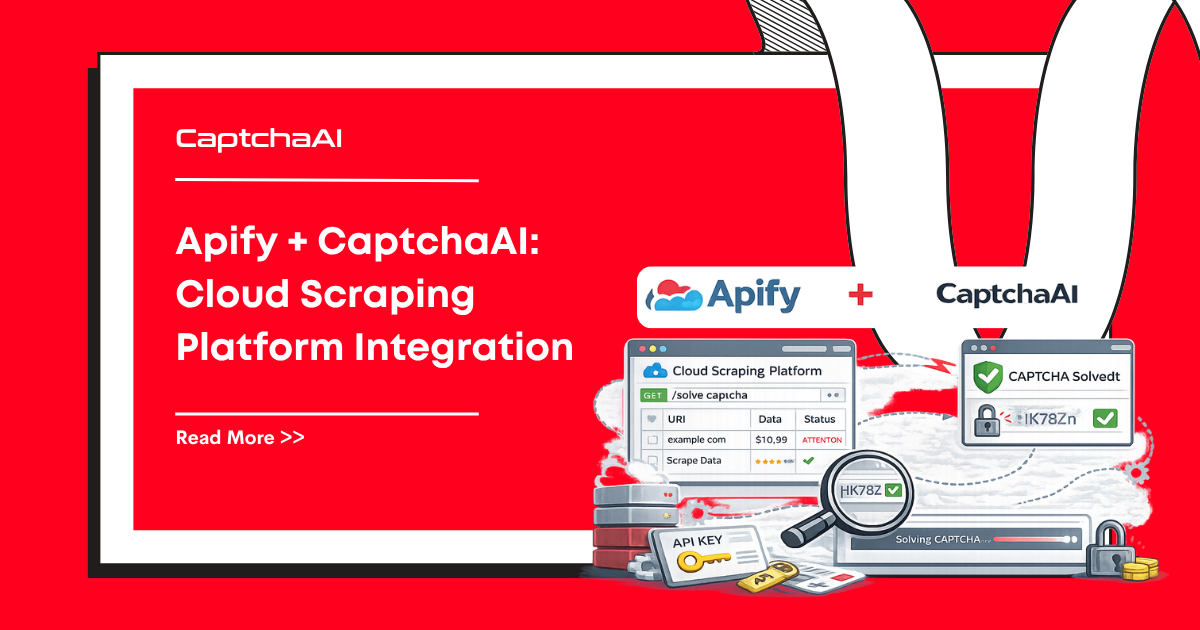
Apify is a cloud scraping platform that runs Crawlee actors. Here's how to add CaptchaAI CAPTCHA solving to your Apify actors.
Actor Setup
Input Schema
{
    "title": "CAPTCHA Scraper Input",
    "type": "object",
    "properties": {
        "startUrls": {
            "title": "Start URLs",
            "type": "array",
            "editor": "requestListSources"
        },
        "captchaaiApiKey": {
            "title": "CaptchaAI API Key",
            "type": "string",
            "isSecret": true
        },
        "maxConcurrency": {
            "title": "Max Concurrency",
            "type": "integer",
            "default": 3
        }
    },
    "required": ["startUrls", "captchaaiApiKey"]
}
Actor Code
const { Actor } = require('apify');
const { PlaywrightCrawler } = require('crawlee');

Actor.main(async () => {
    const input = await Actor.getInput();
    const { startUrls, captchaaiApiKey, maxConcurrency = 3 } = input;

    const solver = new CaptchaAISolver(captchaaiApiKey);

    const crawler = new PlaywrightCrawler({
        maxConcurrency,
        requestHandlerTimeoutSecs: 180,

        async requestHandler({ request, page, log }) {
            await page.goto(request.url, { waitUntil: 'networkidle' });

            // Check for CAPTCHA
            const sitekey = await page.evaluate(() => {
                const el = document.querySelector('[data-sitekey]');
                return el ? el.getAttribute('data-sitekey') : null;
            });

            if (sitekey) {
                log.info(`Solving CAPTCHA on ${request.url}`);
                const token = await solver.solve(sitekey, request.url);

                // Inject and submit
                await page.evaluate((t) => {
                    document.querySelector('[name="g-recaptcha-response"]').value = t;
                    const cb = document.querySelector('.g-recaptcha')?.getAttribute('data-callback');
                    if (cb && window[cb]) window[cb](t);
                }, token);

                await page.click('button[type="submit"]');
                await page.waitForNavigation({ timeout: 15000 });
            }

            // Extract data
            const title = await page.title();
            const items = await page.$$eval('.item', els =>
                els.map(el => ({
                    name: el.querySelector('.name')?.textContent?.trim(),
                    price: el.querySelector('.price')?.textContent?.trim(),
                    url: el.querySelector('a')?.href,
                }))
            );

            // Push to Apify dataset
            await Actor.pushData({
                url: request.url,
                title,
                items,
                scrapedAt: new Date().toISOString(),
            });

            log.info(`Scraped ${items.length} items from ${request.url}`);
        },
    });

    await crawler.run(startUrls);
});


class CaptchaAISolver {
    constructor(apiKey) {
        this.apiKey = apiKey;
    }

    async solve(sitekey, pageurl) {
        const params = new URLSearchParams({
            key: this.apiKey,
            method: 'userrecaptcha',
            googlekey: sitekey,
            pageurl: pageurl,
            json: '1',
        });

        const submitResp = await fetch('https://ocr.captchaai.com/in.php', {
            method: 'POST',
            body: params,
        });
        const submitResult = await submitResp.json();

        if (submitResult.status !== 1) {
            throw new Error(`Submit: ${submitResult.request}`);
        }

        const taskId = submitResult.request;
        await new Promise(r => setTimeout(r, 15000));

        for (let i = 0; i < 24; i++) {
            const pollResp = await fetch(
                `https://ocr.captchaai.com/res.php?key=${this.apiKey}&action=get&id=${taskId}&json=1`
            );
            const result = await pollResp.json();

            if (result.status === 1) return result.request;
            if (result.request !== 'CAPCHA_NOT_READY') {
                throw new Error(`Solve: ${result.request}`);
            }
            await new Promise(r => setTimeout(r, 5000));
        }

        throw new Error('Timeout');
    }
}
Environment Variables on Apify
Store your CaptchaAI key securely:
- Go to Actor settings → Environment variables
- Add:
CAPTCHAAI_API_KEY= your key (mark as secret) - Access in code:
process.env.CAPTCHAAI_API_KEY
// Alternative: use env var instead of input
const apiKey = input.captchaaiApiKey || process.env.CAPTCHAAI_API_KEY;
Apify Proxy + CaptchaAI
const crawler = new PlaywrightCrawler({
    proxyConfiguration: await Actor.createProxyConfiguration({
        groups: ['RESIDENTIAL'],
    }),
    // ... rest of config
});
FAQ
Can I use CaptchaAI on Apify's free tier?
Yes. CaptchaAI is an external API call that works on any Apify plan. Your costs are CaptchaAI's thread-based pricing plus Apify's compute costs.
Should I use Apify proxies or CaptchaAI's proxy parameter?
Use Apify proxies for scraping requests and CaptchaAI without proxies for solving. This is the most cost-effective approach for most use cases.
How do I handle Apify actor timeouts with CAPTCHA solving?
Set requestHandlerTimeoutSecs to at least 180 seconds to allow for CAPTCHA solve time.
Related Guides
Deploy CAPTCHA-solving actors — get CaptchaAI.